-----Original Message-----
From: Chuck McManis <cmcmanis(a)freegate.com>
To: Discussion re-collecting of classic computers
<classiccmp(a)u.washington.edu>
Date: Tuesday, 1 December 1998 10:17
Subject: VAX collectors attention
> (Oh and an HSC50 whatever the heck that is!)
Hierarchical Storage Controller.
Waist high filing cabinet sized box, HEAVY too.
Basically, it's a PDP8 I think, running a little o/s called CRONIC
(Colorado Rudimentary Operating Nucleus for Intelligent Controllers)
Bots off a pair of TU58 mini tape cassette drives.
It's a controller/manager for SDI and STI (+ optional 3rd party SCSI tape)
drives.
You can do backups, and a few other things, just using the HSC without the
host Vax.
Talk to it with a VT100 or whatever terminal, or over the CI with the SET
HOST /HSC command
>from VMS, assuming the Vax has the CI hardware installed.
Normally part of a VAXcluster, it serves drives to several machines over a
proprietary
70mbs (I think) thick cable network called the CI (Computer Interconnect).
Needs another box called a Star Coupler (strange transformer gizmo, acts
much like
a hub, but passive) as well. Works with RAxx and TAxx series tape drives.
Though ours had
an Emulex SCSI adapter that drove two HP 4mm 5Gb DAT drives through a
special interface, emulating
a TA78 tape system to the HSC/VAX. (The card's still in the HSC, but the
interface box with the drives
in it died, and is no longer supported by Emulex.) I've now got a VS4000-90
hosting one of the HP DAT
drives, clustered to the 6320, so I can at least access stuff I had saved on
it. It's currently feeding our
Vax 6320, plus I have another complete one for spares.
Uses about 600w IIRC.
BI and XMI adapters were/are available for various Vaxen to allow them to
connect
over the CI bus. Decnet will also run across it, so it made for fairly high
cluster performance.
Pretty much obsolete now. There was a slightly more sophisticated version
called a HSC70
that used RX floppys instead of the tapes, and could handle more drives,
etc.
I think there were a couple of models after that too. I've seen a HSC70 at
a scrap dealer recently.
Not a lot of use unless you have a big (82xx 83xx 85xx 86xx 6000-xxx etc)
Vax that needs one to
talk to it's drives.
Allison or one of the other Master Decologists will doubtless correct any
mistakes in the above. :^)
Cheers
Geoff Roberts
Computer Systems Manager
Saint Marks College
Port Pirie South Australia.
My ICQ# is 1970476
Ph. 61-411-623-978 (Mobile)
61-8-8633-0619 (Home)
61-8-8633-8834 (Work-Direct)
61-8-8633-0104 (Fax)
Argh,
>Hierarchical Storage Controller. Waist high filing cabinet sized box,
HEAVY too.
>Basically, it's a PDP8 I think ...
You mean I missed a chance to pick up another PDP-8? Probably an 8a though.
--Chuck
>Hierarchical Storage Controller.
>Waist high filing cabinet sized box, HEAVY too.
>Basically, it's a PDP8 I think, running a little o/s called CRONIC
It's an -11, actually, supplemented with a largish chunk of dedicated
logic for moving data around.
Tim.
Hi.
I've picked up a Data General Aviion 310CD and was informed it can use a
straight AT keyboard. I am skeptical, as the keyboard port is a DIN8.
Also, the colour video output is on 3 BNC connectors. Can I use 3 segments
of ethernet coax to carry the video signal or is the impedance wrong?
I'm sure I'll have more questions later, but this'll do for now.
Actually, I've had a hard time locating info on this machine. I understand
it uses a Motorola 88k processor at 20 MHz, but I don't know which one. I
looked inside and found three chips it could be.. an 88100 (88010?) and
two 88200 (88020?)s. I assume the single chip is the CPU but then what
are the other two?
I would be really surprised if this were a multiprocessing box.
ok
r.
>> Someone mentioned that there are copy protection schemes for cassette
tape,
>> and I was curious what these might be and how they might interfere with
>> recording the tape onto my HD.
>
> Some machines (the BBC micro is one IIRC) have a bit in the cassette
> block header that when set prevents you listing or saving the BASIC
> program. That's one trivial form of copy protection.
I don't recall that one on the BBC. You could do that on the ZX81 due to
very strange operating system features.
The BBC had a header on each tape _block_ that said where the file would be
stored in memory, how long it was and an execution address. One simple
scheme rested on the fact that the parameters the machine used were taken
>from the first block of the file and those it told the user were taken from
the last block...
I also saw a program which, when listed or saved, gave "bad program", but
would run OK. Don't know how that was done...
Philip.
On Nov 30, 10:03, Christian Fandt wrote:
> Now I have got to hunt for a decent reader of .ps files which works under
> windoze95 . . .
You can get Ghostview/Ghostscript for Windows -- I don't know *where* we
got it, but we have it on the NT machines at work.
--
Pete Peter Turnbull
Dept. of Computer Science
University of York
I viewed perhaps 45 minutes from the middle of one episode. I found
myself playing "Mystery Science Theater", that is, yelling and heckling
at the screen. What always strikes me about these sorts of shows is
that they're not useful as history. Cringely drives around in micro-bus,
talks with talking head, TH gives his sugar-coated personal view of
history from his particular corner office, and Cringely rarely
fact-checks or points out the blatant lies or evidence of sugar-coating.
Cringely's retrospective documentary in the year 2025 will be much
more interesting, after most of these companies or TH's are dead
and won't be offended by sharper analysis.
- John
not knowing the model number, it's hard to say what you saw. it's probably an
early 1990 model ps1 type 2011 or 2121. could be either a 286 or 386. the
machine requires the matching monitor as it actually contains the computer's
power supply. machine also has dos in rom.
david
In a message dated 98-11-30 18:06:20 EST, you write:
<< I saw an odd machine in a thrift store today, a machine labelled a PS/1,
but it
looked nothing like the PS/1 valuepoints, or any other PC I've ever seen. It
looked like a cross between a PCjr and a soap dish. One 3.5" floppy drive,
huge
ugly vents and IBM logo on the front, on the back are ports for mouse,
keyboard, VGA, 2400 bps modem, and parallel printer. It also has a little fan
and some sort of slot cover that fell out. Where is the power switch? Where
does the power connect to? >>
>> I can't imagine why 8 bits wouldn't be sufficient, given the
>> frequency range of a cheap cassette player. I recently acquired
>Considering that most (all?) home computers feed the cassette input into
>a schmitt trigger (essentially 1-bit sampling), and that the level of the
>input signal is set by twidding the recorder's volume control until it
>loads, so it's not that critical, I would think 8-bit sampling was easily
>good enough.
8-bits ought to work just fine. One fine point, which won't hit you
until you try to do some decoding: some tape formats are polarity
sensitive (they use a variant of Manchester encoding). If at all
possible, you should try to figure out whether your tape player/digitizer/
recorder/player chain inverts are not.
Tarbell-format tapes are (speaking from experience!) polarity-sensitive.
Apple ][ tapes aren't. Kansas-City format tapes aren't.
Tim. (shoppa(a)trailing-edge.com)
I saw an odd machine in a thrift store today, a machine labelled a PS/1, but it
looked nothing like the PS/1 valuepoints, or any other PC I've ever seen. It
looked like a cross between a PCjr and a soap dish. One 3.5" floppy drive, huge
ugly vents and IBM logo on the front, on the back are ports for mouse,
keyboard, VGA, 2400 bps modem, and parallel printer. It also has a little fan
and some sort of slot cover that fell out. Where is the power switch? Where
does the power connect to?
Just a note that the URL of my pinouts section has changed. Sorry for any
inconvenience, this one will be permanent.
http://www.prinsol.com/~aaron/classiccmp/
I am working to put up the pinouts I've received from Pete and Sam
(actually, Sam's may already be up...) and have also added an "incoming"
directory for people who are feeling philanthropic (and a little bored).
Incoming pinouts can go to:
ftp://ftp.prinsol.com/
user: pinouts
password: pinouts
In addition to pinouts, I'm slowly adding my collection of different
hardware "hacks" and some general repair information. I've been trolling
through the classiccmp archives at Kevin Heydon's page as well and plan to
organize and archive the tons of useful repair info there too, from what
cleaners to use for removing sharpie-written prices on plastic to Tony's
latest AT keyboard repair.
The last thing I plan to add is a single directory with nothing but FAQ's,
for all kinds of machines, concentrated in one place. As some have pointed
out lately, many of the questions that are asked here are easily answered
by the appropriate FAQ; it's just a matter of digging it up. After I get
all the FAQ's I can carry online, I'll tie them to a search script for
convenience.
Aaron
Whilst reading around, I've come across quite a few refrences to the LispM,
or the Lisp Machine. What's a Lisp Machine? Was it a mini? Was it a micro?
Do any still run? Just curious...
-------
There were two lisp machine manufacturers that evolved from an MIT lab,
one was Symbolics (a company in which I owned stock, and for which a
high school buddy worked for several years, and which was based in
Chatsworth California for about 8 years) and Lisp Machines Inc, about
which I know very little except to say that these companies were constantly
at eachothers throats, and who's corporate heads were both former
co-workers at MIT. If you want more details, I can accomodate by asking
this old high school buddy.
As for if any such machines remain, I imagine so, since for one, a Mac
compatible version from Symbolics (an single board micro, plugged into
the Mac backplane/motherboard) was available up to a few years ago
>from Symbolics. The name of the product now escapes me but, when
I recall it, I will post an additional message.
As a side note, the mathematics processor known as Macsyma (the
original product - reverse engineered by Stephen Wolfram to produce
Mathematica) was a lisp based product, and sold by Symbolics. As I
understand, it is really Macsyma that gave birth to Symbolics, for their
lisp machines were originally designed to support Macsyma applications.
William R. Buckley
-----Original Message-----
From: Mike <dogas(a)leading.net>
To: Discussion re-collecting of classic computers
<classiccmp(a)u.washington.edu>
Date: Monday, November 30, 1998 1:59 PM
Subject: Re: What's a Lisp Machine?
>>
>>Well, I don't know what other "LISP machines" exist, but a couple
>>
>
>There was a TI Expolorer that was also a Lisp Machine. I used to drool
over
>their ads in Scientific American... alas...
>- Mike: dogas(a)leading.net
>
>
>
>
>Well, I don't know what other "LISP machines" exist, but a couple
>
There was a TI Expolorer that was also a Lisp Machine. I used to drool over
their ads in Scientific American... alas...
- Mike: dogas(a)leading.net
Foxnhare (who are you anyway? I've seen the address before. You're not
Larry Anderson by any chance are you? :-) ) wrote:
>> From: Doug Spence <ds_spenc(a)alcor.concordia.ca>
>> Subject: Re: Replacing 6550s
>
>> (I especially find it cool that they list various part numbers for the
>> connector. :) )
>
> Digikey is the best source for inexpensive PET compatible connectors.
> (1-800-DIGI-KEY) along with a ton of other cool parts.
Many thanks for that. I know where to turn next time I'm looking...
>> I just noticed for the first time (!) that the "PARALLEL USER PORT" has
>> pins labeled "T.V. Video", "T.V. Vertical", and "T.V. Horizontal"! Has
>> anyone actually connectd a TV or external monitor to a PET?
>
> There are plans for a composite video converter using those pins in Nick
> Hampshire's PET Revealed, I think it only works on the older 9" screen
pets
> and not the 12" ones. The reason for it being on the user port was for
deaier
> diagnostic testing.
I thought the video signals were there on later machines too, but I can
well believe it might not work on the 12 inch screen models.
My experience is that Nick Hampshire's circuit doesn't work at all. Using
the same two chips, 4011 and 4066, the correct procedure (sorry. The
procedure that worked when I tried it) is to combine the two syncs with the
4011, invert (I think - not sure about this one) with another 4011 gate,
and use that to gate the video using the 4066. Works a treat. They tried
it at school, too (don't know what circuit tho'), and got a grey background
for the white text. I imagine a series capacitor might help, but I've not
tried it.
Philip.
>> Worse still if you're using an audio CD. The CD player will be
filtering
>> according to what's best for the human ear, not what's best for the
>> computer.
>
> Does this matter? Most tape recorders used back in the day were also
> optimized for use with the human ear, so I would imagine the computers
> that utilized them as storage were designed with that in mind. Kick me
if
> I am wrong but it just seems logical to me that a CD today would work
just
> as well (if not better) than a cassette recorder of yesteryear. Were the
> specialized "data" recorders any different from a standard cassette
> player?
Possibly. But I distinctly recall that when we recorded tapes for sale
using the tape deck from my Sanyo stereo (not on a PET BTW - this was a BBC
micro) we found that Dolby noise reduction had to be disabled for it to
work...
Philip
I've been having troubles getting '5' on the switch regiester of my
PDP-8/L to show up in the memory address. Upon checking to make sure all
the modules were in place, I found that, according to the PDP-8/L Mode
Utilization Sheet in the PDP-8/L Maitenance Manual Vol II, the below
listed cards are missing.
I'm under the impression the M903's are not needed, but what about the
rest of them? Are these cards I need?
A B
15 M162 M119
16 M162 M162
34 M903
35 M903
36 M903
C D
10 M216
11 M113
16 M111
34 M903
35 M903 M903
36 M903 M903
Tom Owad
--
Sysop of Caesarville Online
Client software at: <http://home.earthlink.net/~tomowad/>
Hi! I have yet another Mac question.
When ever I boot, before the Finder comes up, there's about 5 icons In the
lower left-hand corner. I know that one is MS Mail, and the other is for a
network. I'm not sure what the other icons are for. I'd like to get rid of
these programs (extensions?) that are running in the background, since all
they do is eat up memory. I can't access them after Finder opens, and
nothing happens when I click on them before it opens.
Any suggestions?
--
-Jason Willgruber
(roblwill(a)usaor.net)
ICQ#: 1730318
<http://members.tripod.com/general_1>
Why, I thought I'd get a few replies about my Terak computer
collection, as described in my intro message on 11/18.
Anyone out there have any experience with these?
- John
www.threedee.com/jcm
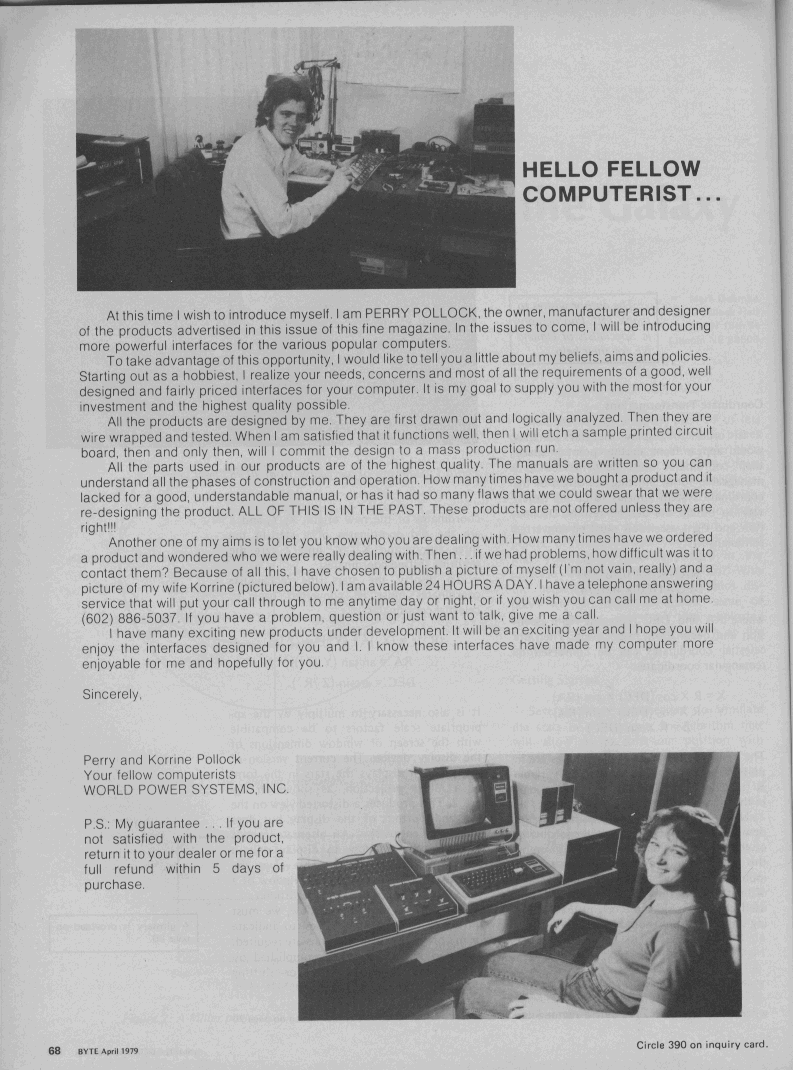
Hmm, a quick Hotbot search reveals a $250K real estate transaction
in Aspen, CO to a Perry Pollock, and that name is listed as the
"Foreign Shipping Coordinator" for an overpriced herb/vitamin scam at
<http://www.putpeel.com/healthy/>. Think the couple in that
picture are the same ones in the 1979 Byte picture at
<http://www.brouhaha.com/~eric/retrocomputing/wps/byte197904-068.gif>?
Hard to tell. :-)
- John
Yes, there are/were many different formats for recording digital
data on audio cassettes. Some used frequency, some used phase
info, and some recorded to the tape using something other than
conventional voice-style recording. Think of them as modems
at speeds of 120 to 2400 baud.
I've found a number of decoders that were developed for the
emulator scene. Most are quite crude and unforgiving.
I concluded that I wanted to store absolutely uncompressed
digitized audio until I confirmed that any of today's various
compression methods wouldn't obliterate the encoded data.
Given the dozens of encoders and compression schemes out there,
how do you know if a particular scheme won't wipe out the
data by simplifying waveforms, fudging phase relationships, etc.?
Storage is cheap. You don't need stereo. If the waveforms use
audio in the range 1200 to 2400 Hz, for example, then Nyquist
tells you to oversample by 2 to 8 times, meaning even 8 Khz,
8-bit might be overkill with roughly 8 K/sec storage,
and 22 Khz sampling is certainly adequate.
As someone pointed out earlier in the thread, being able to tweak
the azimuth on the tape head makes all the difference with some tapes.
- John
>> PS PET and many later C= machines have one more problem: they didn't use
>> standard audio cassette machine, but one with a special Commie board in
it
>> and a custom interface.
>
> My knowledge of the PETs is limited. What would this setup do that would
> inhibit recording to CD?
Not so much inhibit, but make it less useable. I understood the idea as:
instead of plugging your home computer into a tape deck, how about a CD
player? Surely just the lead will be different? In which case, let's
archive all those tapes at a dozen C10 tapes to a CD...
With the PET and VIC families, it's not just a different lead, it's an
(admittedly llittle) circuit...
Philip.
< What about the ADAM computer from Coleco??? It uses a digital tape that
< holds (around) 256K or so... (Never set mine up yet).
<
< Is there any way you could run that thang thru an audio player and have
< PC routine re-digitalize it, or are you stuck with read a thing and
< serial-send it over to another PC?
No! It's digital saturation like a floppy and the encoding is to the
flux reversal timing.
Adam is digital stauration recording like a floppy only slower, audio
tape is audio frequency/phase change and the medium is the linear portion
of the BH curve. They are very different from each other.
Allison
Hi Christian,
----------
> From: Christian Fandt <cfandt(a)netsync.net>
> To: Discussion re-collecting of classic computers
<classiccmp(a)u.washington.edu>
> Subject: Re: ID these DEC floppy disks?
> Date: Monday, November 30, 1998 8:03 AM
>
> At 23:18 11/28/98 +0000, you wrote:
> >On Nov 28, 21:23, Pete Turnbull wrote:
> Now I have got to hunt for a decent reader of .ps files which works under
> windoze95 . . .
Have a look at:
http://www.cs.wisc.edu/~ghost/
I'm using gsview for years ...
cheers,
emanuel
On Nov 28, 21:23, Pete Turnbull wrote:
> If I can find the source files, I'll put machine-readable notes on my web
> pages (probablyt as PostScript). That is mostly XXDP V2 stuff. I
*might*
> have some machine-readble XXDP+ notes; if I can find any I put them up
too.
> I'll post a note to the list if and when...
Well, that turned out to be easier to find than I expected. Anyone
interested can take a look at
http://www.dunnington.u-net.com/public/XXDP.ps which has notes relevant to
both XXDP+ and XXDP Version 2.
--
Pete Peter Turnbull
Dept. of Computer Science
University of York
There are at least two of you folks I recall that are soliciting
ClassicCmp-relavant URLs to put into your webpages (Sam's VCF site is one)
for use as a reference resource. Here's one to add to your lists which is
DEC-related that I literally stumbled onto. Other DEC folks here may need
to bookmark this too:
http://www.celigne.co.uk/terminal/
Naturally, during all my previous hours of searching for VT102 info from
before I posted an inquiry last week, all the search engines I used could
not see this page. This is the one that answers all my VT100/102 questions.
An example of if we find a resource like this, please post it for others
(don't forget I'm still looking for *any* HP250 and IBM 9370 info!! ;) )
Regards, Chris
-- --
Christian Fandt, Electronic/Electrical Historian
Jamestown, NY USA cfandt(a)netsync.net
Member of Antique Wireless Association
URL: http://www.ggw.org/freenet/a/awa/
>I'm a disgruntled ebay bidder.
>Why? Because I had an item picked off by a bargain hunter
>in the last 10 seconds of the bidding.
Why should you be disgruntled? The price went over what you wanted
to pay for the item, didn't it?
Tim.
Hi,
I'm a disgruntled ebay bidder.
Why? Because I had an item picked off by a bargain hunter
in the last 10 seconds of the bidding.
I have a simple suggestion that would fix this...an easy-to-implement
suggestion:
The act of placing a bid should automatically extend the
auction by 5 minutes.
Thus, if the auction is supposed to end at 15:00, and I sneak in a bid
at 14:59, the auction is automatically extended until 15:04. If someone
else then bids at 15:02, the auction is extended until 15:07.
If you like this idea, send a note to:
suggest(a)ebay.com
If you don't like the idea, you must not have bid on anything
at ebay :)
BTW, no...increasing my original bid isn't an acceptable solution,
for a wide variety of reasons ... bargain hunting not included.
thanks,
Stan Sieler
sieler(a)allegro.com
Hmm. Probably can't make the 26th, as I only go out there once every 5 years
or so. Later in the week, perhaps?
manney(a)lrbcg.com
>PG Manney wrote:
>>
>> I'm gonna be in Orange County over Christmas. What's the address of that
>> place?
>
>ACP is located on E. Edinger, and IIRC, it is located at 1310 E. Edinger in
>Santa Ana.
>
>> btw, anyone in O.C. who wants to meet and talk about old computers?
>
>Unless something unexpected happens, both John and I will be at the TRW
swap
>meet on December 26th. It starts at 7:00 am and is over at 11:00 (no
>transactions permitted after 11:30am.) Weather permitting, I usually go on
>the transmitter hunt there starting about 11:45 or so, and then out to
>brunch about 12:15 or so. Aaron joined us yesterday, and provided a good
>chance to talk about the older computers!
>
Date: Wed, 25 Nov 1998 16:35:53 -0500 (EST)
From: Ethan Dicks <erd(a)infinet.com>
To: classiccmp(a)u.washington.edu
Subject: Re: Call for final Elf99 design input
Message-ID: <199811252135.QAA10978(a)user2.infinet.com>
MIME-Version: 1.0
Content-Type: text/plain; charset=US-ASCII
Content-Transfer-Encoding: 7bit
I wrote:
> So to me, being 1802-based and being cheap/easy
> would be the big attractions. If I could populate the entire board
> for under $20, that would probably be enough to pull me off the
> fence entirely.
To which Ethan Dicks replied:
] $20 in total parts cost is not feasible. The CPU is under $10, the RAM
] can be scavenged, the 4xxx parts scavenged or bought for <$1 each, but there
] will be at least 8 to 10 of them. The displays are between $15 and $20 for
] the pair. Switches are another expense - 12 toggle switches and a pushbutton.
]
] Cheap it will be, but not quite that cheap.
Okay, I was only thinking about the cost of chips. And $20 is not
any sort of magic number, just something that seemed possibly doable.
Mainly, I would just ask you not to require any hard-to-find $10 parts
in the name of authenticity, if an easy-to-find $0.10 part will do as
well or better. The only really important bit to me, as a software
geek, is the 1802.
Of course, this is just my vote. I'll be more likely to buy if the
cost is low, and authenicity doesn't mean much to me in this case.
Cheers,
Bill.
I debated whether to post this; I'm sure some of you have seen it before.
My apologies for wasted bandwidth and all...
Q: How many classiccmp subscribers does it take to change a light bulb?
A: 1,331:
1 to successfully change the light bulb and to post to the mail list that
the light bulb has been changed
14 to share similar experiences of changing light bulbs and how the light
bulb could have been changed differently.
7 to caution about the dangers of changing light bulbs.
27 to point out spelling/grammar errors in posts about changing light
bulbs.
53 to flame the spell checkers
156 to write to the list administrator complaining about the light bulb
discussion and its inappropriateness to this mail list.
41 to correct spelling in the spelling/grammar flames.
109 to post that this list is not about light bulbs and to please take
this email exchange to alt.lite.bulb
203 to demand that cross posting to alt.grammar, alt.spelling and
alt.punctuation about changing light bulbs be stopped.
111 to defend the posting to this list saying that we are all use light
bulbs and therefore the posts **are** relevant to this mail list.
306 to debate which method of changing light bulbs is superior, where to
buy the best light bulbs, what brand of light bulbs work best for this
technique, and what brands are faulty.
27 to post URLs where one can see examples of different light bulbs
14 to post that the URLs were posted incorrectly, and to post corrected
URLs.
3 to post about links they found from the URLs that are relevant to this
list which makes light bulbs relevant to this list.
33 to concatenate all posts to date, then quote them including all headers
and footers, and then add "Me Too."
12 to post to the list that they are unsubscribing because they cannot
handle the light bulb controversey.
19 to quote the "Me Too's" to say, "Me Three."
4 to suggest that posters request the light bulb FAQ.
1 to propose new alt.change.lite.bulb newsgroup.
47 to say that [as long as the lightbulb or fixture is greater than ten
years old] this is just what this mailing list was meant for, leave it
here.
143 votes for a new list alt.lite.bulb.
Aaron C. Finney Systems Administrator WFI Incorporated
------------------------------------------------------------------------
"UNIX is an exponential algorithm with a seductively small constant."
I'm hoping someone knows about this (Don?)...
I got a parts-only Kaypro 4 from John Lawson yesterday, to try to cure the
ills of my "nice" 4. However, the two machines are quite different:
The one I got from John has the built in modem, a serial port, and both
paralell and serial printer ports; my original one only has a paralell
printer port and a serial port. Also, my old one has 2 eproms on the
board, one labeled 81-146 in socket U43, and one with a label "Specialty
Sys / STROKE.232 / Rev:1.5 08/84" in socket U47. Don Maslin hadn't heard
of this configuration before, so I'm assuming that it's some kind of
custom design. The one I got from John only has one eprom, labeled 81-292.
The new machine also has a 3v battery on the mainboard. The drives are
different too; the old machine has 2 full-height drives while the one from
John has 1/2 height drives. Part number of my old unit (from the back of
the case) is 81-004 and the part number of the one from John is 81-015.
Now, I happen to like the nifty one with the build in modem better. But
the video is fried (I said distorted yesterday, but there's nothing
legible on the screen) - there's only a little "noise" in the center of
the screen and an extremely high-pitched whine/screech coming from the
general areal of the video P/S.
So what I did, handling everything with [rubber] kid gloves, was swap the
CRT and boards, while leaving everything connected in the process. And I
got...nothing at all on the screen! I plugged the old mainboard in to the
new powersupply and connected it to the video and viola - perfect! So,
what gives? I noticed that some of the crystal frequencies are different
between the boards - is this what's causing it? Is there something simple
I can adjust to get the new machine to work with my original CRT
components?
Also, any history/explanation about the differences in the two machines
would be much appreciated.
Aaron
Thanks to the dedicated work of Kenneth W. Melvin, who has translated
the first three original Popular Electronics ELF articles to HTML, the
articles are now available via the "Classic Computer Simulator" link on
my web site. Hopefully, he will be supplying the 4th installment to me
in the future as well. Enjoy!
-Bill Richman (bill_r(a)inetnebr.com)
http://incolor.inetnebr.com/bill_r - Home of the COSMAC Elf Microcomputer
Simulator, Fun with Molten Metal, Orphaned Robots, and Technological Oddities.)
I saw two shrinkwrapped boxes of Windows 3.0 at a thrift store a couple
of days ago, a WordStar training guide (a modern version), as well as
some Gateway 2000 manuals. Anyone want any of this if it's still there?
That is, Edinger and Main, in Santa Ana.
The best route to the place is to take the 55 freeway to
Edinger, get off and head West for about 1 mile. There is
an eatery on the corner (SW) called the Golden Basket (as
I recall) and ACP is just a few hundred feet West.
William R. Buckley
-----Original Message-----
From: Marvin <marvin(a)rain.org>
To: Discussion re-collecting of classic computers
<classiccmp(a)u.washington.edu>
Date: Sunday, November 29, 1998 12:01 PM
Subject: Re: Santa Ana ACP Store
>PG Manney wrote:
>>
>> I'm gonna be in Orange County over Christmas. What's the address of that
>> place?
>
>ACP is located on E. Edinger, and IIRC, it is located at 1310 E. Edinger in
>Santa Ana.
>
>> btw, anyone in O.C. who wants to meet and talk about old computers?
>
>Unless something unexpected happens, both John and I will be at the TRW
swap
>meet on December 26th. It starts at 7:00 am and is over at 11:00 (no
>transactions permitted after 11:30am.) Weather permitting, I usually go on
>the transmitter hunt there starting about 11:45 or so, and then out to
>brunch about 12:15 or so. Aaron joined us yesterday, and provided a good
>chance to talk about the older computers!
Okay, if anyone's interested, I got the data from my old tape back from Tim.
Among other things, there are some interesting pieces of software, all of them
about 10 years old, which some of you may be interested.
If anyone is interested, please send me personal e-mail and I'll include
the file you want, plus the appropriate archive/dearchive software.
And btw, yes the descriptions are the ones that were on the BBS to describe
each piece of software, so they do tend to be talking to beginners.
I have for the pc:
*******PC-VT*******
This file is an archived vt100 full emulation system. It includes a terminal
mode, xmodem and kermit uploads/downloads a help screen, and a readme file.
You will need a blank 5 1/4 inch floppy (or about 360k free on a 3 1/2) and the
PKXARC program found elsewhere on this board to dearc this program successfully.
This program courtesy of Concordia Computer Services, along with the author or
authors who chose to make it public domain. To start PC-VT, type PC-VT at the
A> prompt.
procomm 2.4.2
This program is another (and vastly superior) terminal emulator. It is window
driven, supports most major upload/download protocals and has color. It also
works more reliably for uploads and downloads than PC-VT. There is, of course,
also full vt100 terminal emulation.This particular version is configured to run
at 9600baud with all settings proper for this VAX system. Reconfiguration is
done from the menus.
***********PKARC***********
This program is a public domain archiver. It crunches other programs with
multiple modules into a single arc file, which is then simple to upload or
download. It will be the standard arc protocal used on the IBM board of this
BBS, so when you upload somthing, please pass it through this program first.
This program itself is not archived, nor is it's companion de-arcing program,
PKXARC, so that you will be able to de-arc the programs you receive. This
program contains a help screen.
*********PKXARC********
This program is the companion program to PKARC. It is unarchived, but you
will need it to de-arc most of the files on the IBM board. It includes a help
screen, and should be self explanitory.
for the commodore 64:
arc250
This program is a self-documented archiving and dearchiving program for the
Commodore 64. It is slow, but it does work.
vt100
This program is a self-contained vt100 emulator for the c=64. It uses the
commodore key with the function and number keys to make symbols not on the 64
keyboard. Works only with TPU editor. (the one we use for the BBS)
Origionally downloaded from Q-Link tm.
macread
This program is unarchived and allows the user to view .mac picture files on
the c-64.
for the commodore 128:
vt-100v2a
A real slick vt100 em for the c=128. Uses fast and burst modes. U/dloads.
Supports EDT. This is a self dearcing file, load and run. Docs Follow.
vt-100v2adocs
These are the docs that go with vt-100v2a. This is a C=128 self dearcing file.
--
Jim Strickland
jim(a)DIESPAMMERSCUMcalico.litterbox.com
-----------------------------------------------------------------------
Vote Meadocrat! Bill and Opus in 2000 - Who ELSE is there?
-----------------------------------------------------------------------
> On Thursday, November 26, 1998 9:42 AM, Allison J Parent wrote:
> The VIP had a ram card, rom card, IO card and a sound effects
> card.
There is also a 2716 Eprom programmer card (I have one _somewhere_, along
with a 'System Expansion Board') and a color video card. There were _two_
sound cards; 'Simple Sound' and 'Super Sound'. Now if I could only FIND
my expansion and Eprom programmer cards... ;-)
Al McCann
amc358(a)interserv.com
I'm gonna be in Orange County over Christmas. What's the address of that
place?
btw, anyone in O.C. who wants to meet and talk about old computers?
manney
>> > I took a trip down to Los Angeles today, and stopped by the Santa Ana
ACP
>> > store. As I looked around the store, there were some classics sitting
on
Would this be caused by an electrical surge through the device or an EMP
kind of like in a nuclear explosion?
>Worse still, it can damage
>semiconductors all over the instrument!
>-tony
>
Hi,
I'm taking a quick survey of who among us uses (or
at least owns) Kennedy 9x00 series tape drives.
I do and I know that some others do (e.g. John
<jpl15(a)netcom.com>).
Anyone else fit this description?
Jon
I have a few excess, unopened, Debian LINUX cd's with LUG/nut5 on the
disk. I haven't had time to examine these myself. They are marked as
made by SSC with their website listed as http://www.ssc.com/
They are in a nice plastic jacket. I paid $1 for each so that's what I'd
like to get from each, plus postage. I would post a flat postage rate
but there may be a person that wants a few so we'll go on a case-by-case
basis.
Let me know if you might be interested by direct email.
>> Dose any one have the pin outs for the disk drive port on the Apple II.
>> I want this information in order to cerate a disk drive emulator. Also,
>Here you are, at least for the 20 pin header on the original Disk ][.
>Note that it's a pretty low-level interface, so you may find it
>non-trivial to make something else that connects to it.
For those who do want to make something that connects to it, I
*heavily* recommend Don Worth's and Pieter Lehner's _Beneath
Apple DOS_, still being published by Quality Software. Everything
you might want to know about the Apple Disk ][ interface and format
is documented here in wonderfully clear detail. Buy it!
Tim. (shoppa(a)trailing-edge.com)
Andrew - maybe we can form a (very limited membership!) Dulmont Magnum users
group!
[To the group as a whole as this early Australian (& world) laptop maybe of
interest]
Perhaps my D~M~ is not quite the same as yours. Mine is black, runs on 7VAC
3A (SN #10630) and to make sure everyone knows it was made in Australia it
has the label "Kookaburra" in black on silver on the outer lid. The SN plate
says "Dulmont Electronic Systems Pty Ltd" and the inbuilt software (see
below) is dated 1984.
It runs DOS 2.11 but is like nothing I have seen in most other ways. This
one has no built-in storage, but has a large connector with two
closely-spaced rows of 30 pins on the back which I guess was for a floppy.
There are also two mini-D 15-pin female plugs that have been hand-labelled
"printer" and "serial".
At the top of the keyboard are two large green keys, one labelled OFF ON and
the other RESET, but there is a trick - to get them to work you have to
press
them with the SHIFT key. Perhaps this is why they are rare; unless you know
this trick you would think the machine was dead by just pressing the green
ON key!
There is no ALT key, and there are separate LF and RETURN keys. There are 12
function keys and a HELP key and these are used with the built-in menu
program (type menu from dos). The only software with this machine are two
little cartridges, one each of which plug into slots on either side of the
hinged lid under a fairly hard to remove section of plastic that forms part
of the case. The cartridges here are MAG CALC and MAG WORD, each
accessible from the menu program. I haven't actually played around with
these yet.
BASIC would be on a cartridge like this, but it did not come with this unit.
I can not find anything on the net other than a German equivalent of the
French list referred to by others.
Phil Guerney
Brisbane, Australia.
-----Original Message-----
From: Andrew Davie <adavie(a)mad.scientist.com>
To: Discussion re-collecting of classic computers
<classiccmp(a)u.washington.edu>
Date: Monday, 23 November 1998 14:48
Subject: Dulmont Magnum
>I've just obtained an unusual laptop circa 1983, a Dulmot Magnum.
>Garbage-bin green body, quite heavy. Runs on 6V, MS-DOS 2.11 Very strange
>flip-up LCD display, about 8 lines x 80 characters. Actually, this thing
is
>pretty well designed for its day.
>Does anybody know about the history of this machine, and where it fits in
>relative to other laptops of the era (ie: what was the first genuine
laptop,
>when, etc) ?
>
>--
>Andrew Davie
>www.comcen.com.au/~adavie/slide/calculator/soviet.html
>adavie(a)mad.scientist.com
>ICQ# 3297382
>
>
Dose any one have the pin outs for the disk drive port on the Apple II.
I want this information in order to cerate a disk drive emulator. Also,
is there an eqivlent of Fast Hack 'Em for the Atari 800. This is needed
to make disk images for backup pourpouses.
Charles
R. Stricklin (1,2,*)
John Lawson (1,2,3)
Mike O'Malley (1,2)
(1) ...the box arrived
(2) ...thanks!
(*) ...thanks a lot!
(3) ...e-mail me please
Sorry for the public posting, I don't have e-mail addresses for you guys.
Sellam Alternate e-mail: dastar(a)siconic.com
------------------------------------------------------------------------------
Always being hassled by the man.
Coming in 1999: Vintage Computer Festival 3.0
See http://www.vintage.org/vcf for details!
[Last web site update: 11/02/98]
> From: Phil Clayton <handyman(a)sprintmail.com>
> Subject: St. Vincent DePaul Finds
>
> Interesting find at the local Thrift store. A large box of 3-1/2
> diskettes
> for the Amiga 500 computer.. There must be over 500 different programs
> all neatly labeled and neatly packed in a nice box.. I did'nt know so
> many
> programs even existed for the Amiga. Should be fun looking at all this
> stuff.
It was pretty popular with games and graphics designers before IBM developers
got a clue and Gould/Ali really milked thier cash cow... Sure wish some of
those games were made for the Mac, but alas,
it didn't have the potential then either.
> Now I have to unpack my old Amiga and see what treasures I have found..
>
> Also inculded in the find was 6 books for the Amiga and 6 books for the
> Commodore 128 computer, including a large Tech Reference manual..
I'll say.
> Best was a book on C/PM for the C-128 (Really like that one)..
That's the one you got with the newer version of CP/M when you sent in the
$20.00 with the card in the users guide. All in all 20.00 for that book, the
newer CP/M (which finally supported the 1581) and CP/M utilities was a great bargain.
> ------------------------------
> From: Phil Clayton <handyman(a)sprintmail.com>
> Subject: Uknown Cartridge found..
>
> Forgot to mention in my find was a cartridge titled
> "Mach 128" its by Access software inc..
> Obviously for the C-128, but don't know what it does..
> Has a switch on top and a reset button? on it..
> Anyone ever seen this Cart before ?
It's a fast-loader for the 128 (that's where the Mach comes in , the 64
version was called Mach 5) It might also be a program freezer/utility. Put it
in your 128 and push the reset button, some of these will present a menu (for
save options and such). The switch is probably to select whether the cart is
active or not. Best not to switch it while the computer is on.
--
-+-+-+-+-+-+-+-+-+-+-+-+-+-+-+-+-+-+-+-+-+-+-+-+-+-+-+-+-+-+-+-+-+-+-+-+-
Larry Anderson - Sysop of Silicon Realms BBS (300-2400bd) (209) 754-1363
Visit my Commodore 8-Bit web page at:
http://www.goldrush.com/~foxnhare/commodore.html
-+-+-+-+-+-+-+-+-+-+-+-+-+-+-+-+-+-+-+-+-+-+-+-+-+-+-+-+-+-+-+-+-+-+-+-+-
>> Hi all!
>>
>> Thanks to everyone who supplied information regarding the differences
>> between the 6550 and 2114 (especially Ethan who supplied pinouts).
>
> You're welcome.
>
>> I'm wondering if it would be possible to replace the RAM in an old PET
>> with a modern SRAM by use of some kind of plug-in adapter.
>
> Sure thing.
>
>> An example of what I'm thinking of is the SIMMfonie or AmiFast
Zip-to-SIMM
>> adapters for the Amiga 3000. Could something like this be built that
>> would plug into the 16 22-pin sockets on the PET motherboard, and lead
to
>> a single modern SRAM? Possibly with the addition of a couple of clip-on
>> leads to get two more address lines to the RAM adapter so that the PET
>> could have 32K.
>
> There is that big edge connector on the side of the static PETs (it was
> two seperate pin connectors on later PETs). All the signals you need for
> RAM expansion are there. For maximum preservation, I'd consider pulling
> all the 6550's out of the board and sticking them in a bag. Then, wire
> up a 6264 (or 62256!) to a small board after finding a suitable
connector.
> I expect the pinout to be on ftp.funet.fi, but if it isn't, I can dig
> out my PET schematics. If I still had my old 4K PET, I'd build one, too.
>
> You shouldn't have to build a clip-on, but if you did, there's nothing
> to keep it from working. You can get all the data bits from two sockets,
> and all the address bits from one socket, plus the additional bits
> from somewhere else. Remember that part of the logic in the PETs decodes
> the A8-A11 lines to chip selects. You need the original address bits,
> not the decoded ones.
Right. Here goes. Answers to one or two other people's questions may be
embedded here...
The original PET came with four different motherboard variations, viz:
RAM = 6550, ROM = 6540
RAM = 6550, ROM = 2316
RAM = 2114, ROM = 6540
RAM = 2114, ROM = 2316
My own is the third of those, a 1978 revision (a pity in a way - the case
has the old tape deck, the blue screen surround and serial number 1000035,
one of the very first)
I have circuits for all four, if you need help.
All had the "chicklet" keyboard. Not rubber keys in this case, Cameron.
Square plastic keys in a very small qwerty-but-no-offsets arrangement.
Little helical springs for key return; conductive rubber pads onto
interdigitated PCB tracks for contacts.
All but the last few machines of the production run had blue-white phosphor
for the screens.
BTW, all those of you who never used number pads for lack of comma keys, on
the small keyboard PETs the numbers were ONLY on the number pad. Top row
was punctuation only...
But I digress.
The top 4 address lines are decoded on the mobo by a 74154 to give block
select lines. The block select lines 0 (bottom 4K of RAM), 8 (screen
memory) C, D, E (I think) and F do _not_ appear on the expansion connector.
All others do. The rest of the address lines (0 to 11) are also present.
It is quite easy to re-encode these for addressing a large RAM chip
(62256). You need three 4-input NAND gates - two 7420 chips will do it.
(NB you are actually ORing block selects, but these are active low, so you
use NAND.)
(Also NB it is a long time since I looked at this. You may want to use AND
gates to keep things active low when you do chip select with the 4th gate)
The 4th NAND gate can combine chip select and clock and things - copy a
circuit from the motherboard (yes I'll send you the schematics if you want
- e-mail me privately).
If you're only attaching 8K, you need merely combine 2 block selects to get
chip select (a single AND gate), and use one of those for the top address
line A12.
When I added a 62256 to my 8K PET, I encoded the block select lines for 24K
of RAM space and 8K of expansion ROM space (blocks 9 and A). Beware - POKE
also fails here, not just PEEK, if you're accessing this RAM from BASIC.
If you've got an 8K PET with some dud 6550s, try and swap them around until
you have 4K of good memory, and remove the second 4K. Then map 28K of RAM
space and 4K of ROM space to your memory expansion chip.
If you've got a 4K PET with some dud 6550s, you'll have to find block
select 0 from somewhere on the mobo.
WARNING. +5V does NOT appear on the expansion connector. Most people get
it from the second cassette port, but it won't drive anything big. 62256 +
a little TTL is fine though.
Hope this helps. My explanations tend to confuse people...
Philip.
And no, I don't mean the "work your finger under the suction cup" method.
Kaypro-specific would be nice (what's a good ground point in there?) but
general help would be fine. The last time I had to do this was when I
replaced the P/S in my Mac plus, about 7 years ago, so a quick refresh
would be good.
Also, I think there was something about this on the list a little while
back but I can't find it in the archives. What would some possible causes
be for a high-pitched screech/whine and a distorted display (um, for a
computer display, that is...)?
Thanks,
Aaron
Well, I finally got around to ripping apart the HP3000 rack I got from
John Lawson a couple of months ago. And desperately need some pointers...
I've read the HP3000-L FAQ and searched most of the day for info, but
there isn't much geared toward the Classic HP3000 home-hobbyist.
What I've got is this:
9144 tape drive - I've already deduced that it's a low-density, 16-track
capable of 67/134 megs and the tapes have to be purchased pre-formatted.
2563A Printer - with a modular connector.
9123 3 1/2" dual floppy - picked up after-the-fact at a yard sale. It's
HP-IB, but has a weird DIN power connector cord. No P/S.
(2) 7914 drives - one of these may be a non-op, having suffered some
damage during transit.
(2)HP3000 series 37's - these are piggy-backed, is this the usual
configuration? . Here's where I need some info:
The "top" unit has a DB-25F in slot one, and an HP-IB in slot 4, as
well as those DE-3F (correct terminology?) connectors in ports 0-5.
The "bottom" unit has the DB-25F in slot one, the HP-IB in slot 4,
and an AUI (ethernet? Is this a Lanic board?) in slot 5, as well as
the 3-pin deals in ports 0-5. Above the ports is a female
Centronics-50 which connected to what I believe is a terminal
splitter, p/n 40290-60003. Above that is a *very* high-density 99-pin
male connector, this is attached to the board with the HP-IB
connector.
The two units are connected vi an HP-IB cable on port 4 of each. Also,
the top has the keyed power switch for both.
What I need is *really* basic info on the system and some pointers to
information sources. Some quick ones:
1) How in the heck do the two 3000/37 units come apart?
2) How do I wire a terminal to this?
3) Is the AUI connector an ethernet card? A lanic card?
4) Could someone please ID all the rest of the ports?
5) Is there a graphical display capability on this machine? As an add-on?
6) What kind of Pertec tape interface is available for this machine?
7) If my 2nd drive is damaged, how might I go about getting an OS for it?
I apologize for such a long post and my absolute lack of knowledge here. I
had a buddy who was supposed to help me out (3000 guru) but he's just gone
overseas for work indefinitely. It's such a cool system, the way it's put
together, and there's a bunch of neat freeware that I'd love to use too.
Any help at all would really be appreciated.
Thanks,
Aaron