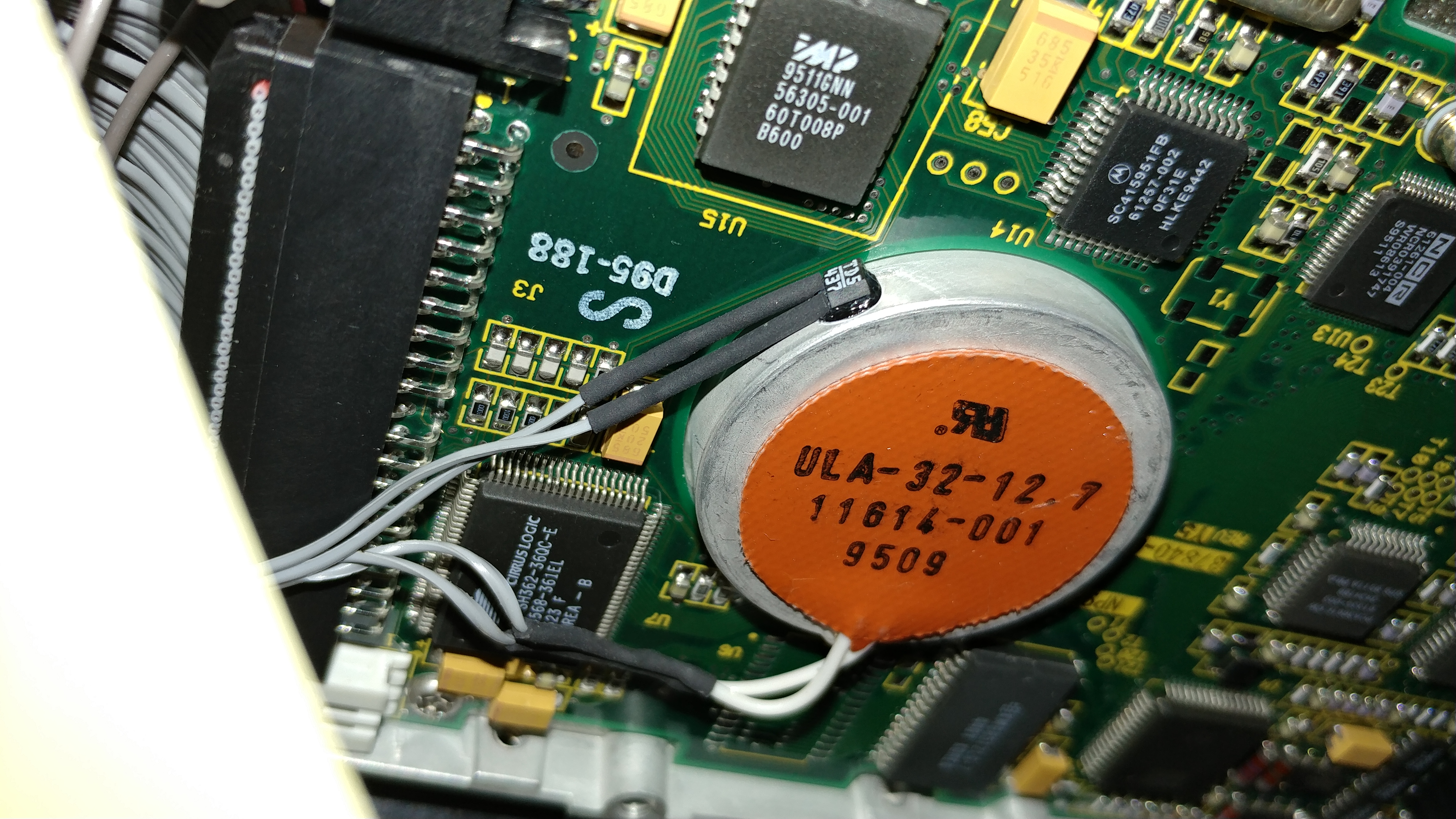
I have the urge to get my Amiga?s back up and running. I?m still trying to find my main Amiga A3000, but have found my A500 and my A600. The problem is, I don?t remember the last time I powered these on. It?s been a long time since I?ve had time. In the case of the A3000, I think it?s been about 17 years. My Atari TT030 has been even longer. :-(
Any advice about powering them up?
Of course another fun challenge will be to figure out where on earth all my Amiga floppies are.
Zane
>this tool is really similar to "rdfind", which compares file sizes and
>content, independently from file name, and is able to create a list of
>correspondence, delete duplicate files, and create symbolic links to the
>single instance.
>This can work on large amounts of files, even on complex directory tree.
Sounds good, don't know that I saw that one (tend not to look too hard
as I enjoy creating stuff, and what I do is usually smaller, easier to
use - at least for me - and more reliable).
Didn't want to go into a lot of detail as this isn't exactly classic
computer related.. although I expect a lot of classic collectors are
like me and have use for it.
Couple things I implemented in DFF which I don't know of in other tools:
It uses an "index" file - first attempt just used the output of windows: DIR/S
but I found it got big and unworkable fast, and changed from one version of
windows to another. DFF creates its own which is small and consistent,
having only the DIR names, and file sizes + names.
This is normally a temp file, but you can Keep it, just Build it without
processing, and process it later. You can also have DFF append to it so you
can deal with as complex dir structure as you like, by /BAing it in various
places. It can deal with files in arbitrary directory trees on multiple drives
quite easily.
You can also have it place and END marker in the file, which means that
anything you append will be treated differently. Anything before the END
marker is scanned and reported as you expect. After the END marker, files are
considered as possible duplicates, but not checked and reported separately.
And since the "index" file is a text file, you can add to it, change it and
retrieve it's content very easily - you don't need special programs provided
by the tool maker to do unusual things. Same is true for it's output.
You can also have it list:
- All files (dups have a dup instance number see below)
- Only duplicate files
- Only single files
- Under each directory, you can get it to list where all the duplicates
are (full path)
This combined with the END marker makes some fairly powerful things possible.
(Show me any files occurring here which are not also occurring there).
Each instance of duplication is assigned a unique "duplicate instance" number
which is shown next to all files which are part of that "duplicate instance".
I thought about an automatic "delete duplicates" feature but didn't implement
it as I am organizing a lot of data, much is duplicated, it's final resting
place may not be one of the original locations and I want control over how the
final archive is organized.
Dave
--
----------------------------------------------------------------------------------
Personal site: http://dunfield.maknonsolutions.com
----------------------------------------------------------------------------------
Hello,
this tool is really similar to "rdfind", which compares file sizes and
content, independently from file name, and is able to create a list of
correspondence, delete duplicate files, and create symbolic links to the
single instance.
This can work on large amounts of files, even on complex directory tree.
Andrea
Sorry, can't respond easily because I read the list on the web, can't deal
with the flood of email from it, and can't respond via the web interface.
>I'm not clear on what "duplicate" really means. Perhaps you can clarify
>things for me.
>
>Duplicate in name and/or size?
>Duplicate in content?
>
>There are lots of duplicate file finders for Windows and some of them
>are quite sophisticated, being able to compare the content of files with
>different encodings and provide "almost the same" type of information.
Duplicate means exact duplicate size and contect, name does not matter.
(I copied lots of stuff around, sometimes renaming it and want to find
all the dups). Yeah, lots of nifty tools, but I needed one where I could
easily control what it looks and and process it's results (text files).
Also had to deal with VERY large sets of data (terabytes) and do it all
in a fairly reasonable time.
So I just wrote one. I'm a bit unusual that way - tend to write stuff that
does exactly what I need instead of trying to use something that sort of
comes close but often also does a lot I don't want.
>Downloading http://dunfield.maknonsolutions.com/dos/sw/ddw2020.zip
>gets flagged by Windows Defender on Windows 10 Pro (1909)
>as "Worm:Win32/Spybot".
Not for me, it's something I compiled from my own source myself, is packed
with UPX - maybe Windows Def doesn't like that but it raises no alarms on
the Win7 Pro system I'm testing on. Have no control of Windows Defender ..
just one of many reasons I don't use Windows much. Not the first time good
clean code of my own has triggered false alarms.
FWIW, I just downloaded DDW2020.ZIP from the site, and it exactly matches
my original one. Contents also exactly match my original files, here is
a DIR listing:
Directory of R:\DDW2020
2020-06-24 09:08 PM 3,255 DDW2020.TXT
2020-06-24 09:08 PM 23,584 DFF.EXE
2020-06-24 09:08 PM 23,584 EDT.EXE
2020-06-24 09:08 PM 31,907 EDT.TXT
2020-06-24 09:08 PM 6,688 FDF.EXE
2020-06-24 09:08 PM 9,760 VLT.EXE
6 File(s) 98,778 bytes
Note, Windows did warn me that this file is not commonly downloaded and
wanted to "discard" it, but I used "Keep" - no defender or antivirus
alarms triggered.
Dave
PS: Noticed and fixed the spelling of "Download" - may need to reload to
see due to browser cache.
--
----------------------------------------------------------------------------------
Personal site: http://dunfield.maknonsolutions.com
----------------------------------------------------------------------------------
Hi all --
I picked up a Tri-Data Cartrifile 4096 at VCF West last year and since I'm
suddenly going to have more time on my hands, I thought it'd be fun to see
if I can get it running again. The Cartrifile is a tape drive that uses
cartridges containing continuous-loop 1/4" tape in various lengths, much
like 8-track tape though in slightly different packaging and with a fixed
head. 10ips, 600bpi. (There's a brochure on Bitsavers at
http://www.bitsavers.org/pdf/tridata/Tri-Data_4096_Brochure_Feb69.pdf)
The unit I have has a PDP-8 compatible interface, though I only have the
cabling and rear-bulkhead for posibus systems. (My 8/I is currently
negibus, so some work will need to be done there.)
It's in pretty decent shape and I think I should be able to get it to work
again. I also have a stack of cartridges and it remains to be seen how
they hold up. If they're anything like 8-track tapes, the EOT marker will
probably fall off and the tape ends will need to be reconnected as well
:). At minimum I hope to be able to recover the data off the tapes I have.
Curious if anyone out there has one of these, has any spare parts, or
interface parts (there was at one point an Omnibus interface available, and
having the negibus interface would be extremely handy.)
Thanks as always,
Josh
At 10:41 AM 6/25/2020, Dave Dunfield via cctalk wrote:
>I originally wrote it for my own use, but it has proven SO useful that I took
>a little time to clean it up and post it at my personal site.:
Downloading http://dunfield.maknonsolutions.com/dos/sw/ddw2020.zip
gets flagged by Windows Defender on Windows 10 Pro (1909)
as "Worm:Win32/Spybot".
- John
Hi,
Don't know if anyone is interested, but I'd guess that a lot of you like
me have collected a big pile of digital "stuff" over the years, and also if
like me, it may have gotten away from you a bit with a lot of duplication
etc.
Having some spare time, I've been organizing my collected documentation,
software, drivers and other files. As part of this process I wrote "Duplicate
File Finder", a WIn32/64 tool which can look at a VERY large file collection
(can even be across many drives etc.) and produce a nice summary of what is
duplicated and where all the duplicates are.
I originally wrote it for my own use, but it has proven SO useful that I took
a little time to clean it up and post it at my personal site.:
http://dunfield.maknonsolutions.com
If this sounds useful, have a look and grab the program. Hopefully it will
be as useful to you as it has to me.
Dave
--
----------------------------------------------------------------------------------
Personal site: http://dunfield.maknonsolutions.com
----------------------------------------------------------------------------------