A business trip has me going to Albuquerque next week and I have Monday
afternoon free. Can anyone suggest some must see computer surplus
shops?
Thanks Norm
While again searching for radio stuff :), I ran across this website in
Australia with an interesting article written in 1954 about the Morgan
Crucible Co. Ltd, and how they justified their purchase of the HEC4
Electronic Computer. From the first few paragraphs:
"The computer selected was the HEC4 Electronic Computer designed by the
British Tabulating Machine Co (later becoming ICT and then ICL - who
re-named it the ICT 1201), which was used with modified Hollerith
punched card equipment for I/O peripherals. Systems were designed to use
conventional 80 column punched card equipment for much processing
(sorters, collators, tabulators and reproducers). Details of this
machine are described in a second article below. Both articles were
published in the "Electronic Engineers Reference Book" for 1958. The
cost of the machine was about ?30,000."
Also included are the specifications of this machine:
Specifications of ICT HEC4
HEC4 Brief Specifications
P.R.F.
38.4 kc/s
Number base
Binary
Mode
Serial
Word Time
1.25 milliseconds
Word length
39 and sign
Instruction type
1 operand; 1 next instruction
Magnetic Drum
3,000 rpm; 64 tracks; 1024 words;
track switching 5 milliseconds;
18.75 milliseconds max. access
Quick Access stores
2 words
Add or Subtract
2.5 milliseconds
Multiply
800 milliseconds max.; 240 milliseconds ave
(slow)
50 milliseconds max.; 22.5 milliseconds ave
(fast)
Divide
48.75 milliseconds
Punched cards
100 cards per minute (in); 100 cards per minute
(out)
Printer
100 lines per minute; 100 characters per line
Price
?30,000
http://www.vk2bv.org/sb/hec4.htm
/* coming out of the shadows.... */
I'm planning on exhibiting my MOS Kim-1 at the Trenton Computer
Festival (http://www.tcf-nj.org) and it occurred to me that I don't
know what this computer is worth (whatever that means). My Kim-1 works
and is a Rev B MOS unit, with original blue-cover manuals (as well as
home brew case and a home brew 2k memory expansion).
The only data point I have is a recent ebay auction, where 2 working
Kim-1s, nice enclosures, Kim Extender Interface, 4 memory cards, S100
breadboarding card, issues of "Micro", etc went for $642. The item
description doesn't mention Rev #, or even whether its a MOS or
Commodore (though the photo shows *white* manuals).
So... roughly $300 for a Kim-1?
Thanks!
Scott
__________________________________
Yahoo! Messenger
Show us what our next emoticon should look like. Join the fun.
http://www.advision.webevents.yahoo.com/emoticontest
>I registed to a local freecycling group. I receive several tens of
>emails each day. 80 percent are wanting and 20 percent are offering. I
>would expect the reversed ratio.
Why would you expect the reverse? Do you have 80% more items to give away
then what you would like to take?
-chris
<http://www.mythtech.net>
I just rescued a power supply and power entry module from what remained
of a QBA11-VA. From what remained of the housing it looked like a
disk/tape/CDROM enclosure. Available for the cost of shipping.
CRC
Hi Brad,
the connection from the controller board (UNIBUS or QBUS) is a straight
cable AFAIK. The RX01 and RX02 exist as a table top box and uses a DB25
connector to the controller.
If you want to make a complete RX01 drive, the first thing to check is
the *bottom*. Since many parts have been removed for perhaps completing
other drives, check if the drive belt is still there on each drive!
The RX01/RX02 drives have *two* boards mounted on top of the disk drives
and they cover bothe drives, so they are not smallish.
Tony gave (as usual) a good description.
I was surprised to read that the two boards are somehow matched. That is
a pity because I have two *sets*, and since one board has a rather high
connector (relative to the other components on that board, and the other
board is a bit smaller, I have put those two boards together. So there
is a chance that they are kept as a set togethre but I am not 100% sure.
I have also a complete power supply, but it is wired for Europe, that is,
it is set for 230/240 VAC 50 Hz. I don't know if there are taps on the
transformer to make it work at 110 V. Neither if it can cope with 60 Hz.
And I have also the fan and air plenum that is mounted on the back of
the drives ...
> Sounds like you have rather a lot to find.
>
> -tony
Well, it looks that I have all what you need. I stripped an RX01 just a
few weeks ago, and the only parts that I threw away is the metal front
(heavily scratched) and the metal frame on which all is mounted).
Small problem though, the power supply is heavy ...
and I live in The Netherlands ! BTW, I do not have spare belts :~)
- Henk, PA8PDP.
Hi,
Found the problem with the SC/MP. I don't have the SC/MP programming
manual but have figured out there was a difference of opinion between me
and TASM on a few instructions. I now understand all the SC/MP instructions
and TASM's expectations.
Anyway, it's advanced from the prototype breadboard stage and it's now
a permanent system - all soldered and complete.
For those that are interested, it's a SC/MP II (ISPA/600D) running at 2.048Mhz.
It's got 2 x 4K (2732) EPROM, 2 x 2K (6116) RAM, 1 x 8251 USART and
1 x 8255 PPI. I've got the comms and PPI working a treat and now I've got to
embark on the fun task of creating a debug/monitor for it.
Does anyone else here build old stuff like this? Or do you build your own debug
and monitor software? Any experimenters/builders here?
river
This is a test, please ignore.
-----------------------------------------
Evan Koblentz's personal homepage: www.snarc.net
*** Tell your friends about the (free!) Computer Collector Newsletter
- 700 readers and no spam / Publishes every Monday / Write for us!
- Mainframes to videogames, hardware and software, we cover it all
- W: http://news.computercollector.com E: news at computercollector.com
Hi Jay - be happy to help you give the site a spruce up
Here are some samples of my work
www.workcover.comwww.maqohsc.sa.gov.auwww.region2ops.on.net (this concept would make a good ClassicCMP web
site :-)
www.advancedimaging.com.auwww.barossashops.comwww.gawlershops.comwww.salvationarmy.org.au/gawler
++++++++++
Kevin Parker
Web Services Consultant
WorkCover Corporation
p: 08 8233 2548
m: 0418 806 166
e: kparker at workcover.com
w: www.workcover.com
++++++++++
-----Original Message-----
From: cctech-bounces at classiccmp.org
[mailto:cctech-bounces at classiccmp.org] On Behalf Of Jay West
Sent: Wednesday, 6 April 2005 3:12 AM
To: General Discussion: On-Topic and Off-Topic Posts
Subject: input sought for list
I'm looking for input from the list as to things that should be in the
classiccmp list FAQ. I've got lots of ideas, but want to hit ideas I may
not have thought of (I'm old, I forget ;))
If you have any text you think should be included in the FAQ, or ideas
you'd like me to come up with text for, please email me offlist for
review.
In addition, I think it's high time to spruce up the classiccmp website.
I'm not a web developer, so if anyone is good with HTML and would like
to help maintain the classiccmp website, email me, your services would
be appreciated! Along the same lines, I'm also looking for suggestions
to improve the classiccmp website as to content and features. Any
thoughts are appreciated!
Regards,
Jay West
************************************************************************
This e-mail is intended for the use of the addressee only. It may
contain information that is protected by legislated confidentiality
and/or is legally privileged. If you are not the intended recipient you
are prohibited from disseminating, distributing or copying this e-mail.
Any opinion expressed in this e-mail may not necessarily be that of the
WorkCover Corporation of South Australia. Although precautions have
been taken, the sender cannot warrant that this e-mail or any files
transmitted with it are free of viruses or any other defect.
If you have received this e-mail in error, please notify the sender
immediately by return e-mail and destroy the original e-mail and any
copies.
************************************************************************
Looking around the local salvation army, I spotted a LaserWriter plus.
I've searched the archives and discovered it's a PostScript enabled laser
printer with RS-442 interface. It seems. No disucssion of the "plus"
specifically. If it helps, there was a DB-25, a DE-9 and small (4? 6?)
dip switch on the back (that I remember, I don't remember any mini-DIN).
I'd be interested in having a "real" postscript printer. But I'd like to
test it before buying.
- Is there a way to print a test page w/o pluging into a computer?
- Can this be interface to a straight PC? If the DB-25 is RS-232, I'd
assume so.
- Is toner readily available?
Also, there was an ImageWriter II if anyone wants one.
Thank you,
-Philip
On Apr 5 2005, 19:21, Allison wrote:
> The state machine is a simple but programable non-von cpu that can do
> the needed tasks to execute complex command to seek, read or write
> a sector. The RX02 is a 2901based bitslice that does more as it
> has to do the needed tricks for DD format.
Ah yes, I'd forgotten that. Thanks for reminding me where I'd seen
another 2901!
Welcome back, by the way :-)
--
Pete Peter Turnbull
Network Manager
University of York
Normally, all Postscript printers have a built-in self test, but I don't
know how to work it on any of the apple products.
I believe that it can be interfaced to a PC, but may be slow.
Toner should be available, it was a Canon-engine printer, I think the "CX"
engine, same as the original HP Laserjet. It MIGHT be an "SX" engine, which
would be much better. In either case, you should be able to get toner,
although it won't be "on the shelves" at a local retail store.
Hmm,
He states "i am useing a floppy cable with a twist in
it and a 20 pin data cable."
hard drives did not use a twisted cable on them.
the used a 34 pin (data) and a 20 pin(control)
streight thru cable(s.
Bill
__________________________________
Do you Yahoo!?
Make Yahoo! your home page
http://www.yahoo.com/r/hs
Well all seemed fine, I was working on Kermit, making good
progress, then I/O PARITY ERROR AT xxxx -- disk read error. Diags
etc, another shows up. Then another, but a previous goes away...
Clearly there is a soft(ish) read error. Probably all those cheap
ceramic disks on the read/write/amp board. So I will order nice,
new, correct monolithic caps, and replace all the replacements.
It's almost certainly in the analog read/write section, and not
hard logic, said hypothesis boosted by the fact of my fiddling in
that arena.
I ran memory diags and all that stuff, but I am assuming it's the
electronics I fiddled. I'll go do the job Right.
I just scanned a small manual by Philips Data Systems from 1972 called
"SUMMARY OF P 350 BASIC AND PERIPHERAL ASSEMBLER INSTRUCTIONS WITH THEIR
ABSOLUTE EQUIVALENTS"
I dont expect any one to have this machine since this even seems to be only
document around and the philips museum doesn't even have anything, but well
in case some one does (tell me, tell me!!), you can find it on my site
http://www.mansier.net under Vintage Document Library.
Cheers,
Stefan.
-------------------------------------------------------
http://www.oldcomputercollection.com
> On Apr 5, 2005 9:59 PM, liste at artware.qc.ca <liste at artware.qc.ca>
> wrote:
>> Looking around the local salvation army, I spotted a LaserWriter plus.
>> I've searched the archives and discovered it's a PostScript enabled
>> laser
>> printer with RS-442 interface. It seems. No disucssion of the "plus"
>> specifically.
>
Manual is at
<http://download.info.apple.com/Apple_Support_Area/Manuals/printers/
LaserwriterLaserwriterPlus.PDF>
Specifications at
<http://docs.info.apple.com/article.html?artnum=112476>
>> If it helps, there was a DB-25, a DE-9 and small (4? 6?)
>> dip switch on the back (that I remember, I don't remember any
>> mini-DIN).
>
> Nope... no mini-DIN. The DE-9 is the AppleTalk interface (like 512K
> Macs). The DB-25 is for ordinary serial devices so that, IIRC, one
> can blow ASCII at it and the LW+ intereprets it as, I think, a Diablo
> daisywheel printer, courier only, etc. I _think_ there's a way to
> emit PostScript at the DB25, but it's not going to be a speedy
> interface. The printer was primarily developed for Mac use on
> AppleTalk/LocalTalk
>
See <http://docs.info.apple.com/article.html?artnum=24471> for
interface.
>> I'd be interested in having a "real" postscript printer. But I'd
>> like to
>> test it before buying.
>
> One could take a Palm and a travel cable and DE9-DB252 adapter and run
> a VT100 app and blow chars at the DB25 port...
>
>> - Is there a way to print a test page w/o pluging into a computer?
>
> Does it not print a test page at power-on? I think what my mom used
> to do at work was power hers on with the paper tray removed to _not_
> get a test print (and waste the paper).
>
The test page is controlled by a PostScript variable which can be
programmed through either port. Apple OSs prior to X had a LaserWriter
Utility in which you could control the test page. However be warned,
LaserWriters can be password protected...
>> - Can this be interface to a straight PC? If the DB-25 is RS-232, I'd
>> assume so.
>
> Yes, the DB25 is RS-232, but there may be a protocol issue there (raw
> ASCII vs PS).
You can run either PS or Diablo 630 emulation from a windoze box on the
RS-232 port. '95 and later have PS drivers for the box.
>
>> - Is toner readily available?
>
> Yes, same toner as used in the HP LJ 1, 2, 3 as well as Apple
> LaserWriter, Plus, SC, II, IInt (and all the other printers based on
> the
> Canon SX engine). Last time I bought one, they were going for around
> $45
> for a 6000 page cart.
The Plus uses a Canon CX engine. The toner is getting harder to find.
My recommendation would be to skip this one. Although a true "Classic"
the pickup rollers are probably goo by now and a true bitch to replace,
let alone find. If you go this route, ensure you find another one for
parts. In Apple land I would look for a LaserWriter II NT, NTX, or g.
All are PS printers, use the SX engine for which need parts are still
available and are supported on the Dark Side. The NT and NTX are
supported over RS232 (slow) while the g is LAN capable. (Besides I have
a superfulous redundancy of parts available to help out...)
CRC
Hi Guys,
I've got a Cromemco System-3 which I've been wrestling with
on and off for quite a few months now ... I've got it to the
point where it will boot and run CDOS, however Cromix hangs
during boot.
I've "boiled it down" to just the ZPU, 16FDC, and the RAM
cards which are a pair of 256KZs, with the 948 and 949
addressing ROMs in them (sw.1 is ON for the 948 card and
OFF for the 949 card as described in the documentation).
I want to run a comprehensive memory test... I written
such a test and can "load" it by having a PC "type" the
HEX code into RDOS's SM command - then run it with 'G' -
that all works fine, and I have verified that the default
32k that comes up with RDOS appears to be OK.
Now I want to test all of the possible banks in the 256KZs
and so far I can not find any documentation as to how the
bank select works. From the 16KZ docs I see that the normal
bank select register is 40h, and this does do "something"
to the 256KZs ... I've determined that by writing individual
bits 1, 2, 3 or 4 I can swap in four distinct 32k blocks into
the upper half, while nibbles with other than one bit set all
seem to map to the same block which is different from the
other 4 ... This makes 5x32k = only 160k.
I've also determined that writing individual bits 4, 5, 6 or 7
causes the system to die, which I'm guessing is because it is
swapping the lower 32k (where my program is running)... It it
works the same as the lower-nibble/upper-block, then that would
give a total of 10x32k = 320k that I can access from the 512k
physical memory on the cards ... ?
Can anyone provide me with details of exactly how the bank
select works with dual 256KZ cards installed, and how to map
in the entire 512k (obviously a section at a time)?
Unfortunately I don't have the 947 address ROM which would
have shipped with single cards, so I can't test the cards by
thenselves... Anybody got a spare?
Also, I note that RDOS will not come up if the ZPU is set for
2MHZ ... It appears to only run at 4MHZ - is this normal?
Regards,
Dave
--
dave04a (at) Dave Dunfield
dunfield (dot) Firmware development services & tools: www.dunfield.com
com Collector of vintage computing equipment:
http://www.parse.com/~ddunfield/museum/index.html
> > On laserjets you can hold down the online button while powering up
the
> > printer. Hold until it starts to print and it provides a status page
> > and a graphics test page. Give it a try.
>
> There are no buttons on an Apple LaserWriter (Plus). Buttons
> are an HP LaserJet thing.
On the Canon CX Engine, wasn't there a button on the side panel that
would print a set of parallel lines independent of the controller?
>- Is there a way to print a test page w/o pluging into a computer?
Provided the dip switches have not been changed, then just power it up,
it will print a status page that tells what language it is set to use,
what port, and the page count. (IIRC, one of the dip switches can disable
this test page at power on)
>- Can this be interface to a straight PC? If the DB-25 is RS-232, I'd
>assume so.
Yes over the DB25, but it tops out at 9600 bps, so it is SLOW to print.
>- Is toner readily available?
Yes, same toner as used in the HP LJ 1, 2, 3 as well as Apple
LaserWriter, Plus, SC, II, IInt (and all the other printers based on the
Canon SX engine). Last time I bought one, they were going for around $45
for a 6000 page cart.
-chris
<http://www.mythtech.net>
>
>Subject: Re: rx01 w/o controller board
> From: Ethan Dicks <ethan.dicks at gmail.com>
>
>On Apr 5, 2005 11:52 PM, Allison <ajp166 at bellatlantic.net> wrote:
>> I plan to put a T-11 in a smallbox with a 640x480 mono lcd
>> and keyboard and run RT11 on batteries with it. I be tired
>> of washin winders.
>
>Nice... I noticed your LCD questions elsewhere... I have similar
>dreams, but with an SBC6120 at the middle of everything.
>
>-ethan
Hi there! Actually the diplay system is the first priority as
the likely cpu could be T-11, Z80, Z280, 1802 or even 6120.
One possible display solution I tripped across is there are car
TVs or at least the LCD video monitors that could accept
componenet or RS170 video. From what I've seen these are getting
down there in cost for the 6-8" sizes. Back to the days of
VDM1, and TVT6 type display systems in a whole new way and
possibly cheap too.
Allison
I thought I'd throw a note out here before I give up for the evening....
(And hope there's an appropriate answer waiting for me in the
morning. :-) )
Has anyone done anything w/ CAP and Apple IIgs's lately, and have any
good guesses why files created on the Unix "share" (from the GS of
course) appear to loose their filetypes? The .finderinfo,
and .resource directories are there, and clean, but CAP appears to be
storing the wrong data in .finderinfo.
Does this happen to ring any bells w/ anyone?
Yes, I know CAP is moldy, old, and from what I can tell unsupported. I
had to port the raw network layer to a modern version of Linux. But it
appears to be working but for the above problem.
Why CAP? Cause I can't get my Fastpath4 bridge to talk anything but
AppleTalk Phase 1, and Linux/NetAtalk only do Phase 2. (Apparently the
FP4 doesn't calculate checksums correctly either, btw) <grumble>
(And no, I don't want to bring up a Solaris box. <spithewie>)
Thanks,
David
PS: At least the IIgs is on-topic. :-)
Pete Turnbull <pete at dunnington.u-net.com> wrote (to Allison):
> Welcome back, by the way :-)
I second that! Allison, you might remember me... :-) It's been 7 years...
Welcome back, it's a lot of joy to see you online again! :-)
Michael Sokolov
http://ivan.Harhan.ORG/~msokolov/
hi,
Silly me, I bid on an RX01 on ebay, hoping it had a controller card.
Naturally it's just the drive. It has a nice Digital sticker on the side
and seems dirty but mechanically sound and the head looks ok.
So, where can I get a controller card for this thing? any ideas? are
these things like hen's teeth?
Naturally I have an unibus rx01 controller card, so all I need is a
controller card for this drive, right? (and a cable, and power supplies
:-)
I just have this unbending need to boot rt-11 from it. I know it's
silly but I need to do it. And, it seemed like it might be fun to boot
other things too. Plus, with the Shugart drives I have I thought I
might actually be able to transfer small files.
-brad
>Subject: Re: rx01 w/o controller board
> From: Pete Turnbull <pete at dunnington.u-net.com>
Another place where there is a sea of 2901s is the FPU
for the 11/23b. I have one of those too.
>Welcome back, by the way :-)
Glad to be back. Spent 5 years working for a firm that makes
P-RTDs as their sole IS/Net/Server/DB/engineer person and was
plain too busy for life until.. they sold it. Now I have way
too much time till I get mixed up in something else hairbrained.
Still have VAXen, PDP-11s, PDP-8s, and a raft of S100 hardware.
I plan to put a T-11 in a smallbox with a 640x480 mono lcd
and keyboard and run RT11 on batteries with it. I be tired
of washin winders.
Allison
KB1GMX VHF/UHF and out there.
> - Is there a way to print a test page w/o pluging into a computer?
On laserjets you can hold down the online button while powering up the
printer. Hold until it starts to print and it provides a status page and
a graphics test page. Give it a try.
> http://www.vintage.org/library.php
> This is a new "library" feature I'm adding to the VCF website. It
> includes books, videos, and books on cassette, all on computer
history
> subjects. 99.9% link to the Amazon page where you can place an order
> for convenience.
> Suggestions always welcome.
How about listing the ISBN with the book titles, it would
make requesting the book at the library a little easier.
Lee.
.
Send instant messages to your online friends http://uk.messenger.yahoo.com
Anyone has a pointer to a userguide for the above HPIB drive ?
Bitsavers came out empty.
I got a non-functional unit and now need the know how to change the
internal HD ( a 15 MB ST419 unit ) and format it.
I hope the 9133 is intelligent enough to format the disk itself
Target usage : the much needed HD for my HP IPC !
Jos Dreesen
On Apr 6 2005, 0:08, Dan Williams wrote:
> It made me laugh and it's on topic.
>
> item=5181057334
Looks like I'm sitting on a potential fortune, then :-)
--
Pete Peter Turnbull
Network Manager
University of York
>Subject: Re: rx01 w/o controller board
> From: Pete Turnbull <pete at dunnington.u-net.com>
>Your host adapter is little more than a parallel interface; it talks
>over a 40-way ribbon cable (but less than half the pins are used) to
>one of the boards on the RX02 unit which has a state machine to execute
>various commands, and that board in turn connects via another ribbon
>cable to the lower board, which has the amplifiers and so forth on it.
> The head cables plug into this lower board.
The state machine is a simple but programable non-von cpu that can do
the needed tasks to execute complex command to seek, read or write
a sector. The RX02 is a 2901based bitslice that does more as it
has to do the needed tricks for DD format.
An aside for CPU hackers, the core cpu of the RX01 processor is remarably
simple and can execute 5 distinct microinstructions with a few variations.
A varient of the same logical core was used to build the LA34 printer and
LA120 and a similar design is in the LP26 DAFU. It was a fun project
years ago building one and tweeking it to do a simple 8bit cpu.
>AFAIK the drive mechanisms for an RX01 and RX02 are the same; only the
>boards differ.
Correct. The drive and power suppies are interchangable, The two
boards are different for the 01/02 though mechanically interchangable.
Allison
Well, I read through the digest replies and don't agree with all of them
... so :):
Re: the floppy cable. The twist on a HD cable is closer to the edge than
the floppy cable. It is obvious if you hold the two of them together
which is which. The floppy twist starts at pin 10 while the HD twist
starts about pin 6 or so (don't have one in front of me.) A floppy cable
will work okay but *don't* use the end with the twist!
Make sure the data cable is connected to the correct connector if the
card supports two drives (IIRC one 40 pin connector and two 20 pin
connectors.)
A terminator is also required at the last drive in the chain. Assuming
you are using just one drive, not having the terminator installed would
probably cause the drive not to work properly.
If you are using a HD that originally had a twist, the jumper select
will most likely be set to drive 1. Using a straight cable will cause
the drive to appear as drive D instead of C ... I don't remember what
problems that will cause. So if using a straight cable, make sure the
drive select is at 0 (of 0-3) or 1 (of 1-4).
If you are using an 8-bit card with the bios enabled, make sure in the
386 setup that there is NO HD installed (the bios will take care of it.)
If you have the bios disabled, then go ahead and set the 386 HD setup to
Type 2 or 4? (can't remember, 615 cyl, 4 heads, 17 sectors) but you
*will* have to do a low level format to get the drive to work.
If you are trying to save files on the HD AND it was installed with an
8-bit controller, you don't have any choices but to use the 8-bit card
bios to access the data AND an identical controller to the one that was
used to low level format the drive. Fred can probably comment on whether
it has to be the same type of controller, or the same controller for
this to work. If you have any idea of what the original machine it came
out of was, that would help :).
Finally, the clicking you hear on the drive is not a good sign. I would
power up the drive with no cables connected (except of course the power
cable) and if the clicking still continues, the drive is probably bad.
If it is important enough, you could also send the drive to a data
recovery service and leave it to them to deal with it.
Marvin
P.S. - I think this is an example where top posting makes everything a
lot easier to follow :)!
> OK, I posted about this a few weeks ago and now I have some more
> information.
>
> The drives in question are a ST-225 20MB (615/4/17) that came out of an
> XT (so would have been using a 8-bit controller) and a ST-238R 30MB
> (615/4/26) of unknown origin.
>
> I don't have or even know what the original controllers were, the
> machines were gutted/given away years ago by the owners.
>
> I have a 386 testbed which I'm using, and plan to laplink the files over
> to another machine once they are accessible.
>
> The only card in the 386 is a VGA card. Turbo is off.
>
> I have the following controllers:
> - WD1002A-27X 8-bit RLL
> - Adaptec ACB-2370A S2 16-bit RLL/floppy
> - WD1002SV-SR2 16-bit RLL/floppy
> - Everex EV-346 16-bit MFM/floppy
>
> I also have two Miniscribe 8438 30MB RLL drives. However, they were
> used with the 27X, which means the geometry is ambiguous depending on
> how the jumpers were set when it was formatted.
>
> Now, I'm either doing something wrong or all these drives are dead.
>
> I am using a floppy cable with a twist in it and a 20-pin data cable.
> All of the drives spin up (the Miniscribes needed a little coaxing) and
> sound "healthy" as they dance their little self-test jigs. Here's where
> the trouble starts.
>
> I tried the ST-238R with all three of the RLL controllers. With the 27X
> and with no hard drive entered in the NVRAM setup, since the BIOS can't
> be disabled, it runs the BIOS, which can't figure out what's going on
> and returns a 1701 POST code.
>
> With both of the 16-bit RLL controllers, 615/4/26 entered in the NVRAM
> and the controller BIOS disabled, the drive makes a repetitive seeking
> sound like an ECC retry about twice a second, until eventually the BIOS
> gives up and returns Drive C: failure. What this seems to indicate to
> me is that the drive was formatted with different geometry, or the
> tracks have drifted so bad it can't get its bearings.
>
> I also tried the Miniscribe drives with the 27X for kicks. Everything
> sounds normal, including the long growl that I remember that
> drive/controller combo doing during POST. But, a 1701 is returned,
> which isn't normal - this drive *used* to work with this exact
> controller.
>
> The only MFM controller I have is the Everex, so I tried the ST-225 with
> that one, entering 615/4/17 in the NVRAM and disabling its BIOS.
> Unfortunately, I get mostly the same behavior as with the ST-238R;
> except that with this drive, the retry clicks are about a second or two
> apart. Eventually the BIOS gives up anyway.
>
> I'm fresh out of ideas at this point. Maybe I have a bad cable? Do I
> need to find the exact controller the drives were paired with - what
> were the most common ones for each drive? Is the 386 the problem, too
> fast for these cards?
>
> --
> Ryan Underwood, <nemesis at icequake.net>
>
river wrote on Tue, 5 Apr 2005
>Does anyone else here build old stuff like this? Or do you build your own debug
>and monitor software? Any experimenters/builders here?
My answer is yes to all the above. I have many old processors and plan to put them
all to use someday. I've done something similar to your SC/MP project with an
Intel 4004. ( http://webpages.charter.net/bkotaska/mcs4_micro.htm )
Latest project is a redesign of the HP Programmable ROM Module for the HP-85
( http://webpages.charter.net/bkotaska/prm85.htm ).
Anything to make old computers (and chips) more useful!
Bill
Found another roll of 4.25" x 400' Black thermal paper
and some DC100A tapes including an HP-85 Standard pac,
00085-13001.
Will bundle with the other rolls.
Collect or postage from the UK.
Lee.
Send instant messages to your online friends http://uk.messenger.yahoo.com
>Subject: Re: rx01 w/o controller board
> From: Brad Parker <brad at heeltoe.com>
>
>
>Allison wrote:
>>
>>Brad did you buy a bare drive?
>
>yes, apparently I did :-)
>
>>If so you need the cab, power supply and both logic cards.
>
>So, it seems I need the 2 logic cards. All that for a floppy :-)
>
>thanks!
Well err, yes! DEC did things a bit different as the RX01 dates
to before the era of FDC chips. So what they did was encapsulate
both the drive electronics and a full floppy data interface into
the system. By doing that they also simplified stuff by way of
consolidation that was both expensive at the time and power hungry.
What that amounts to is the RX01 box is two dives and the interface
and all that's needed in the system is a fancy {but cheap to design
and build} parallel port to interface it to the bus. Very handy as
the RX01 could be used with PDP-8, PDP11 both Unibus and Q-bus.
As a result a nominal Sa800 drive is not even a close analoge to
the complete RX01.
So having the bare drive is like buying a car, well ok, the frame
and transmission for one.
Generally RX01 and RX02 drives sans the bus interface card are
not hard to find. Don't ship it though, they weigh in around 50+
pounds! Whats a good replacement is DSD880s, those are RX01/02
work alike boxes that are a contoller, floppy and some models
include a hard disk from 10 to 30mb in one case 6" high. Even
then you need both the complete box and the bus interface card
to match.
Allison
OK, I posted about this a few weeks ago and now I have some more
information.
The drives in question are a ST-225 20MB (615/4/17) that came out of an
XT (so would have been using a 8-bit controller) and a ST-238R 30MB
(615/4/26) of unknown origin.
I don't have or even know what the original controllers were, the
machines were gutted/given away years ago by the owners.
I have a 386 testbed which I'm using, and plan to laplink the files over
to another machine once they are accessible.
The only card in the 386 is a VGA card. Turbo is off.
I have the following controllers:
- WD1002A-27X 8-bit RLL
- Adaptec ACB-2370A S2 16-bit RLL/floppy
- WD1002SV-SR2 16-bit RLL/floppy
- Everex EV-346 16-bit MFM/floppy
I also have two Miniscribe 8438 30MB RLL drives. However, they were
used with the 27X, which means the geometry is ambiguous depending on
how the jumpers were set when it was formatted.
Now, I'm either doing something wrong or all these drives are dead.
I am using a floppy cable with a twist in it and a 20-pin data cable.
All of the drives spin up (the Miniscribes needed a little coaxing) and
sound "healthy" as they dance their little self-test jigs. Here's where
the trouble starts.
I tried the ST-238R with all three of the RLL controllers. With the 27X
and with no hard drive entered in the NVRAM setup, since the BIOS can't
be disabled, it runs the BIOS, which can't figure out what's going on
and returns a 1701 POST code.
With both of the 16-bit RLL controllers, 615/4/26 entered in the NVRAM
and the controller BIOS disabled, the drive makes a repetitive seeking
sound like an ECC retry about twice a second, until eventually the BIOS
gives up and returns Drive C: failure. What this seems to indicate to
me is that the drive was formatted with different geometry, or the
tracks have drifted so bad it can't get its bearings.
I also tried the Miniscribe drives with the 27X for kicks. Everything
sounds normal, including the long growl that I remember that
drive/controller combo doing during POST. But, a 1701 is returned,
which isn't normal - this drive *used* to work with this exact
controller.
The only MFM controller I have is the Everex, so I tried the ST-225 with
that one, entering 615/4/17 in the NVRAM and disabling its BIOS.
Unfortunately, I get mostly the same behavior as with the ST-238R;
except that with this drive, the retry clicks are about a second or two
apart. Eventually the BIOS gives up anyway.
I'm fresh out of ideas at this point. Maybe I have a bad cable? Do I
need to find the exact controller the drives were paired with - what
were the most common ones for each drive? Is the 386 the problem, too
fast for these cards?
--
Ryan Underwood, <nemesis at icequake.net>
>
>Subject: Re: The SC/MP is finally alive!
> From: "river" <river at zip.com.au>
> Date: Wed, 06 Apr 2005 07:44:02 +1000
> To: <cctalk at classiccmp.org>
>
>Hi,
>
>Yes, for it's time (1976) the SC/MP had the logic that allowed it to share
>the bus with other processors etc. The 8080 chip could also do this, but
>this device required 3 separate power supplies and you needed three chips
>to get the CPU working properly. The 6800 also offered similar multiprocessing
>abilities and, like the SC/MP was a single chip system, but I'm not sure if it
>came out before or after the SC/MP.
Commnet:
The biggest differnce between the SC/MP bus intnerface was that
the sc/mp didn't assume it was the bust master. So the bus
interface pins did a priority resolution with other potential
bus masters.
All of the other cpus (8080, 8085, z80, 6502, 6800 etal)
assumed they were the bus master and you took the bus only
after being granted DMA access.
While the difference is a small one it's notable in that all
of it's peers of the time were different.
>The SC/MP I (ISPA/500) was a PMOS device and required +5 and -7 volt power
>rails. The SC/MP II (ISPA/600) was NMOS and required only +5 rail (same as the
>6800), it also had three of it's CPU control lines inverted (as compared to the
>SC/MP I) and though it could take 4 times the speed of the clock of the SC/MP I,
>due to internal clocking it ran only twice as fast.
>
>What made the SC/MP popular back in those days was the cost. It was about a
>quarter of the cost of the 8080 and 6800 processors.
The cost factor was insignificant by 1978. The CPU was only part of a
systems cost.
>Finally, it's good to see some other old SC/MP dudes around and also others who like
>to build and program their systems from scratch.
I started a SC/MP cpu in TTL and Bit slice (2901) and then
abandoned it for a design that expanded it in some obvious
ways.
the sc/mp was in the same class for cpu hackers as the 1802,
6100 (PDP8 in cmos), and a few others.
A significant part of my collection and expeimentation is with SBC
(Single or Small Board Computers). I have SBCs for 1802, SC/MP 8a/500,
Nibble basic 8073 sc/mp, 6800, 6809, 6502 Kim-1, 6100 Intersil sampler,
IMSAI IMP-48 an 8035 SBC, Ti9900 Technico Superstarter board,
NEC TK80 (8080), several 8085, Z80, Z280 and Z8001 sbc of my
design, and T-11 (a 40 pin dip pdp-11) homebrew. The only one
I haven't played with is the 2650, 16032, 68000... yet.
Allison
>I gave Chris maybe 8 ~ 12 unique models IIRC. Sometime later he had
>a crash of storage space... I have almost no idea how many he kept.
I actually found users for most of them. Many of them were repeats of the
IIci, and LC 1, 2, 3 series. A number didn't work, and were combined into
functioning machines. All the 68040 machines (mostly Performa 63x) that I
didn't keep were given to new homes, as well as most of the LC models.
The IIci's were surprisingly hard to place and in the end most were
stripped for parts and traded off in pieces.
I did keep a few that were the "rarer" models (like the IIvx and MacTV,
as well as one each of the LC versions, IIci, and IIsi... I also kept
some of the 68040's, in fact, I currently run my mail and web servers off
them, the mail servers are running the Mac OS, and the web servers are
Mac68k NetBSD).
I'm no where near having one of every model however. At one point I
wanted to make such a collection, but alas, it will be some time before I
have that kind of storage space available to me again.
>Somebody just gave me my first G3. Very good looking machine.
>Even has that prominent DEC chip (21154 PCI) to look at. Can't wait
>to load something on it.
Which model? I can check to see if I have the Apple restore CD for it.
-chris
<http://www.mythtech.net>
On Apr 5 2005, 16:19, Phil Spanner wrote:
> Thought I wouold drop a note regarding the drives. Not only does BIOS
need to be configured (usually by type) but my drives seem to need 2
cables???
> One floppy drive cable should not enable the controller to talk to
the drives at all.
Well, up to a point. The 34-way cable carries the control signals,
such as the drive selects, head selects, step, write-enable, etc, and
status signals such as ready, track zero, etc. The 20-way cable
carries only the differential read and write data signals. Without
that, of course, the controller will never see data from the drive.
--
Pete Peter Turnbull
Network Manager
University of York
On Apr 5 2005, 17:10, Brad Parker wrote:
>
> I bought an RX01 8" drive and it has no drive electronics card on it.
>
> I have an RX11 M7846 controller (host adapter).
>
> I assume to make this work I need an electronics card on the RX01
drive
> itself. The drive has what looks like mounting holes for a PCB and I
> the RX11 is way too simple so I assume there is something which bolts
> onto the RX01 drive. And a ribbon cable between them. And a power
> supply :-)
Yes, but perhaps not quite in the form you might expect. As Henk
mentioned earlier, there are two boards in an RX01 or RX02, and they're
both quite big -- they sit one above the other and each spans across
two drives. Not at all like SA800-style drives, which normally have
one PCB on the top of each drive. The power supply is mounted behind
the drives on a substantial chassis, to part of which the two PCBs are
also mounted (the upper one is hinged at the left hand side to provide
access to the lower one).
Your host adapter is little more than a parallel interface; it talks
over a 40-way ribbon cable (but less than half the pins are used) to
one of the boards on the RX02 unit which has a state machine to execute
various commands, and that board in turn connects via another ribbon
cable to the lower board, which has the amplifiers and so forth on it.
The head cables plug into this lower board.
AFAIK the drive mechanisms for an RX01 and RX02 are the same; only the
boards differ.
--
Pete Peter Turnbull
Network Manager
University of York
On Tue, Apr 05, 2005 at 03:57:24PM -0500, cctalk-request at classiccmp.org wrote:
> Wait -- the Miniscribes are MFM, yes? You should be testing them with the WD
> controller, not the RLL controller.
No, they are RLL. 8438 are RLL variant of the 8425. They ran for years
with the 27X controller in my family's XT :)
> Also, since you're testing on a 386, go into the 386's BIOS and make sure that
> the 386 isn't trying to map something into the ROM address space that the
> controllers are trying to use (ie see if it's possible to relocate the 386's
> onboard IDE controller BIOS location, if it has one -- my Dell 316sx works like
> this, for example... can also relocate video ROM location too).
This is a 386 clone board without any onboard peripherals.
> If you exhaust all options, send me the MFM drive -- I have a 100% working
> WD1002 system set up right now with an ST-225 and could take a look at it for you.
I'll keep that in mind, thanks!
> Isn't that only a requirement of SCSI drives? I certainly don't have any
> terminators on my MFM/RLL drives...
These are terminating resistor packs which are located on the drive PCB,
not a terminator in the SCSI sense where it's plugged into the end of
the chain. Also, I believe SCSI terminators are composed of
transistors, not resistors.
--
Ryan Underwood, <nemesis at icequake.net>
>Subject: Re: rx01 w/o controller board
> From: Brad Parker <brad at heeltoe.com>
>
>"Eric Smith" wrote:
>>Brad wrote:
>>I bid on an RX01 on ebay, hoping it had a controller card. Naturally it's
>>> just the drive. [...] where can I get a controller card [...] Naturally
>>> I have an unibus rx01 controller card, so all I need is a controller card
>>> for this drive, right?
>>
>>I'm completely confused. You have a controller card? Or you don't? If
>
>Sorry. To much coffee and emulators today :-)
>
>I bought an RX01 8" drive and it has no drive electronics card on it.
>
>I have an RX11 M7846 controller (host adapter).
>
>I assume to make this work I need an electronics card on the RX01 drive
>itself. The drive has what looks like mounting holes for a PCB and I
>the RX11 is way too simple so I assume there is something which bolts
>onto the RX01 drive. And a ribbon cable between them. And a power
>supply :-)
>
>-brad
Brad did you buy a bare drive? If so you need the cab, power supply and
both logic cards. Yes in the RX01 dual drive there is a pair of cards
that are drive interface and processor. the RX11 is just an interface
to the processor.
Allison
>Subject: Re: rx01 w/o controller board
> From: "Jay West" <jwest at classiccmp.org>
> Date: Tue, 05 Apr 2005 16:17:48 -0500
> To: "General Discussion: On-Topic and Off-Topic Posts" <cctalk at classiccmp.org>
>
>Brad wrote....
>> I assume to make this work I need an electronics card on the RX01 drive
>> itself. The drive has what looks like mounting holes for a PCB and I
>> the RX11 is way too simple so I assume there is something which bolts
>> onto the RX01 drive. And a ribbon cable between them. And a power
>> supply :-)
>
>I have a problematic RX02 "internal" controller card, I was in a hurry to
>get the drive operational and just bought a new card for it. You're welcome
>to the old one (which obviously needs some repair), if it will help in your
>quest.
RX02 does not work with RX11, also the bords for rx02 and rx01 are "sets"
that I've found are not cross interchangeable.
If you building up an RX01 you need both drive internal boards and RX11
to be of the RX01 part group.
I know this as my RX02 started life as an RX01. Then I changed the drive
boards and use a RXV21 with it.
Which RX01 card do you need the Drive interface or the "processor" board?
Allison
>
>Subject: Re: rx01 w/o controller board
> From: "Eric Smith" <eric at brouhaha.com>
> Date: Tue, 05 Apr 2005 11:50:38 -0700 (PDT)
> To: "General Discussion: On-Topic and Off-Topic Posts" <cctalk at classiccmp.org>
>
>Brad wrote:
>I bid on an RX01 on ebay, hoping it had a controller card. Naturally it's
>> just the drive. [...] where can I get a controller card [...] Naturally
>> I have an unibus rx01 controller card, so all I need is a controller card
>> for this drive, right?
>
>I'm completely confused. You have a controller card? Or you don't? If
>you have one, surely you don't need one? Or are you saying that you need
>one for a different bus? Or is your drive missing the drive electronics,
>which is the real controller (vs. the Mxxxx "controllers", which are
>really just host adapters)?
>
>The "controllers" (host adapters) are:
>
> Unibus Qbus Omnibus
> ----------- ----------- ----------
>RX01 RX11 M7846 RXV11 M7946 RX8E M8357
>RX02 RX211 M8256 RXV21 M8029 RX28 M8357
Eric, Sound to me like he got a bare drive and no 54-xxxxx boards
and PS to make a complete rx01. Iv'e found the base mechanics are
common as people part out rx01/02s for the boards or PS.
Brad,
If you listening the real RX01 is heavy, two drives
in a rack width cab nearly 11" high, contining a
powersupply and two long cards that supply drive
interface (for both drives) and processor (nearly a
complete FDC in itself).
Allison
Hi,
Yes, for it's time (1976) the SC/MP had the logic that allowed it to share
the bus with other processors etc. The 8080 chip could also do this, but
this device required 3 separate power supplies and you needed three chips
to get the CPU working properly. The 6800 also offered similar multiprocessing
abilities and, like the SC/MP was a single chip system, but I'm not sure if it
came out before or after the SC/MP.
The SC/MP I (ISPA/500) was a PMOS device and required +5 and -7 volt power
rails. The SC/MP II (ISPA/600) was NMOS and required only +5 rail (same as the
6800), it also had three of it's CPU control lines inverted (as compared to the
SC/MP I) and though it could take 4 times the speed of the clock of the SC/MP I,
due to internal clocking it ran only twice as fast.
What made the SC/MP popular back in those days was the cost. It was about a
quarter of the cost of the 8080 and 6800 processors.
The SC/MP, like some other early processors, such as the 2650, had it's memory
divided into pages, and the Program Counter couldn't access the entire memory
unless some specific registers or jump/load instructions were used.
The simplicity of the SC/MP instruction set (only 46 instructions) is it's strength, yet
also a part of its weakness (ie, page memory, no dedicated stack, no compare
instructions, no rotate/shift left, cumbersome interrupt, etc).
Half the fun is getting the hardware all going, and the rest of the fun is to lock horns
with it's instruction set and do some fancy programming.
I'll take a few pics of the system (including my homebuilt 8085 system) and let you know
when they are on the web.
Finally, it's good to see some other old SC/MP dudes around and also others who like
to build and program their systems from scratch.
river
Well, let's try to give an answer.
The SWitch Register is what is says: *switch* register.
So you can read the switches from it, but writing to it is no use.
Don't shoot me if I am mistaken! From memory, the address is 777570.
- Henk, PA8PDP.
-----Original Message-----
From: cctalk-bounces at classiccmp.org
To: Classic computer list
Sent: 5-4-2005 21:33
Subject: PDP 11/45 Display register.
Hi,
A quick question raised by my ongoing work....
Is it possible to write directly to the "display register" - the one
accessed by one position of the data switch. I think it should be at
memory
location 777570, but I can't get data into it, either using deposit from
the
console, or moving data under program control.
Have I got a fault, or am I doing something wrong?
Thanks
Jim.
Please see our website the " Vintage Communication Pages" at
WWW.G1JBG.CO.UK
Hi,
Thought I wouold drop a note regarding the drives. Not only does BIOS need to be configured (usually by type) but my drives seem to need 2 cables???
One floppy drive cable should not enable the controller to talk to the drives at all.
Phil
Anybody here interested in a bunch of Digital VAX Rdb/VMS books ?
Quite a few are still sealed. I prefer to sell them because I need the
space and could use any extra money but I am willing to swap them for
something else or perhaps even give them to someone for just the postage.
Cheers,
Stefan.
-------------------------------------------------------
http://www.oldcomputercollection.com
Anybody here interested in a bunch of Digital VAX Rdb/VMS books ?
Quite a few are still sealed. I prefer to sell them because I need the
space and could use any extra money but I am willing to swap them for
something else or perhaps even give them to someone for just the postage.
Cheers,
Stefan.
Replying to a bundle of posts:
> IBM used a twisted cable with their hard disks - in order to avoid having
> to explain "Drive Select" jumpers to their [Computerland level] dealers.
>
> The hard drive cable twist is NOT the same twist as for floppies!
Oops. See, I saw a mention of a twisted cable in the Miniscribe manual
which came from Hard Drives International, so I thought I was okay
there.
Anyway, I switched to a straight through connection. I tried the
Miniscribe drives with the 27X and the ST-238R with both the 27X and the
WD1002SV-SR2. With the 27X I get no POST/BIOS complaints, but the
system tries to go to ROM BASIC, so I guess it is ignoring the connected
drive. With the WD1002SV with BIOS disabled and 615/4/26 entered, then
I just get Drive C: error from the BIOS.
> If you are trying to recover files you are probably wasting your time, the
> XT controllers used unique formatting and you will never read the data off
> of the drives without using controllers indentical with ones used
> originally. It is not good enough to use the same brand or even chipset.
Is that true for MFM drives too? I know RLL setups were picky about
controller/drive compatibility but I didn't think MFM would be also.
> Another problem I had with early MFM hard drives was they needed to be
> read with the same model of controller that formatted them.
... I guess so.
> For the ST225 look for a DTC 5150 or a western digital 1002-WX1 HD
> controller. These were two of the most common HD controllers for XTs.
Thanks. I'll ask the owners if these models ring any bells.
> I doubt that you can read them with any of the 16 bit cards.
Are drives formatted with 16 bit cards generally compatible with each
other?
> When I put away any XT drives that I wanted the data off I kept the
> cables and controller card with the drive.
Yup. I certainly wish that were the case here.
> I have docs for the WD cards. The 27X sounds (without looking) like an RLL
> controller.
It is.
> Wrong 34-pin cable. Also check the markings on the controllers and the
> drives very carefully for the pin 1 identification. Perhaps all the solder
> pads are round, except for one which is deliberately square, (that's pin 1)
> or maybe it's silk screened on the board/drive.
It is actually silk screened on all these boards. No problems there.
--
Ryan Underwood, <nemesis at icequake.net>
This is on topic, since 9.1 will run on any Power Mac. Apple has now offered
OS 9.1 for free download. And no, it's not a joke.
http://docs.info.apple.com/article.html?artnum=75103
--
---------------------------------- personal: http://www.armory.com/~spectre/ --
Cameron Kaiser, Floodgap Systems Ltd * So. Calif., USA * ckaiser at floodgap.com
-- Never trust a computer you can't lift. -- Mac rollout, 24 January 1984 -----
I have two RX01 drives ...
the two boards *inside* an RX01 drive have an Mxxxx number too!
They are listed in the Field Guide: M7726 and M7727.
- Henk, PA8PDP.
-----Original Message-----
From: cctalk-bounces at classiccmp.org
To: General Discussion: On-Topic and Off-Topic Posts
Sent: 5-4-2005 20:50
Subject: Re: rx01 w/o controller board
Brad wrote:
I bid on an RX01 on ebay, hoping it had a controller card. Naturally
it's
> just the drive. [...] where can I get a controller card [...]
Naturally
> I have an unibus rx01 controller card, so all I need is a controller
card
> for this drive, right?
I'm completely confused. You have a controller card? Or you don't? If
you have one, surely you don't need one? Or are you saying that you
need
one for a different bus? Or is your drive missing the drive
electronics,
which is the real controller (vs. the Mxxxx "controllers", which are
really just host adapters)?
The "controllers" (host adapters) are:
Unibus Qbus Omnibus
----------- ----------- ----------
RX01 RX11 M7846 RXV11 M7946 RX8E M8357
RX02 RX211 M8256 RXV21 M8029 RX28 M8357
(Note that the RX8E and RX28 are exactly the same module.)
Eric
Appreciate a little bit of advice from the list please.
I started getting my shed full of gear in order on the weekend.
Following a renno of the kitchen the plan is to rebuild the kitchen
cupboards in the shed to provide additional storage.
I noted when moving stuff around on the weekend that some corrosion has
set into DB plugs and PS2 connectors etc. Fortunately its on a couple of
AT machines of which I have about a zillion so its not a big drama but
I'm more concerned about the longer term effects on my more precious
assets.
Storing stuff in the house would be great but that also equates to
divorce :-)
How do people store their computer stuff medium to long term.
++++++++++
Kevin Parker
Web Services Consultant
WorkCover Corporation
p: 08 8233 2548
m: 0418 806 166
e: kparker at workcover.com
w: www.workcover.com
++++++++++
************************************************************************
This e-mail is intended for the use of the addressee only. It may
contain information that is protected by legislated confidentiality
and/or is legally privileged. If you are not the intended recipient you
are prohibited from disseminating, distributing or copying this e-mail.
Any opinion expressed in this e-mail may not necessarily be that of the
WorkCover Corporation of South Australia. Although precautions have
been taken, the sender cannot warrant that this e-mail or any files
transmitted with it are free of viruses or any other defect.
If you have received this e-mail in error, please notify the sender
immediately by return e-mail and destroy the original e-mail and any
copies.
************************************************************************
Replying to a bundle of posts again:
> If you have an MFM drive used on an AT or better you have a good chance of
> reading it on any AT or better system with most any controller.
> RLL or 8 bit based systems have no such "standard".
I think this is the best summary of the situation I've seen yet.
> A terminator is also required at the last drive in the chain. Assuming
> you are using just one drive, not having the terminator installed would
> probably cause the drive not to work properly.
Yeah, both drives have terminators. One of the Miniscribe drives
doesn't have a terminator but I remembered to move it when I tried that
drive.
> If you are using a HD that originally had a twist, the jumper select
> will most likely be set to drive 1. Using a straight cable will cause
> the drive to appear as drive D instead of C ... I don't remember what
> problems that will cause. So if using a straight cable, make sure the
> drive select is at 0 (of 0-3) or 1 (of 1-4).
That's where it appears to be on both Seagate drives.
> If you are using an 8-bit card with the bios enabled, make sure in the
> 386 setup that there is NO HD installed (the bios will take care of it.)
Yup, did that.
> If you are trying to save files on the HD AND it was installed with an
> 8-bit controller, you don't have any choices but to use the 8-bit card
> bios to access the data AND an identical controller to the one that was
> used to low level format the drive. Fred can probably comment on whether
> it has to be the same type of controller, or the same controller for
> this to work. If you have any idea of what the original machine it came
> out of was, that would help :).
Here is the machine that the MFM drive came out of:
http://docs.van-diepen.com/th99/m/I-L/30739.htm
Intelligent Data Systems PC-88
> Finally, the clicking you hear on the drive is not a good sign. I would
> power up the drive with no cables connected (except of course the power
> cable) and if the clicking still continues, the drive is probably bad.
Clicking only happens when I've connected it to one of the 16-bit
controllers and the BIOS is attempting to find the disk. Otherwise the
drives sound fine.
> If it is important enough, you could also send the drive to a data
> recovery service and leave it to them to deal with it.
Not really important, but the drives used to be in BBS systems in the
early 90's and we are quite interested in the files and messages that
are on there for archival purposes.
> A few times I've seen different PC controllers from the same manufacturer
> (i.e. WD or whatever) work from one model to another but not be able to boot
> without a low-level formatting (booting from a floppy allows access).
Now *this* is interesting. I was assuming that if the drive was going
to work at all, it would be bootable too. Why is is that you wouldn't
be able to boot from the drive, yet you'd be able to read it if you
booted from some other media?
> As was pointed out if you know the drives were formatted on a 8 bit
> controller just set the BIOS to no hard drive and don't even try the 16 bit
> controllers, they would just be a waste of time. Your best bet would be to
> try different 8 bit cards and boot to a floppy then do a "dir c:", repeat
> until you've tried all cards.
Okay, will do.
> Does the controller require a real 8 bit machine, yes not all 8 bit
> controllers even worked in 16 bit computers.
Any examples of problem controllers in this area?
> Is the drive bad.
> Has the drive formatting been messed up.
Hoping not :(
> Is the drive terminated properly.
> Is the drive jumpered properly.
As far as I can tell, yes.
> On IDE all of the truly low level stuff is 100% hidden so the only
> compatibility problems with IDE tended to be drive geometry (early problems
> when the same drive could be addressed by different geometries) .
Yeah, I had a Fujitsu IDE drive die on me recently. I was able to get
the data by swapping the drive PCB with that of another drive which was
the same model, but not identical (6 months newer, different stuff on
the label). I was surprised that it actually worked.
--
Ryan Underwood, <nemesis at icequake.net>
> I've removed a few ISA and PCI slots using a hot-air gun.
> My success rate for ISA was quite good but PCI was less good:
I've found using the wide flat nozzle helps, it's easier to
heat the length of the connector evenly.
> I was doing this "just because I could" (I was scrounging
> other bits at the time) so I don't know whether the
> salvaged ISA or PCI slots would have worked again.
Likewise, I do know the ISA slots will work again though as
I use them for things like this ..
http://www.themotionstore.com/leeedavison/6502/vic20/isa/index.html
Cheers,
Lee.
.
Send instant messages to your online friends http://uk.messenger.yahoo.com
Two rolls, 4.25" x 400', of HP thermal paper for HP85
printer or similar.
Anyone want/need these?
Collect or postage from UK.
Lee.
.
Send instant messages to your online friends http://uk.messenger.yahoo.com
I was just looking through the reprint of the Radio-Electronic magazines
articles that describe the Simon computer. For those of you who haven't
seen them and have thought about building one, they are NOT a
construction or kit article per se, but rather they give a description
of how the computer works. As such, I don't consider it "light reading"
material to just read and build!
It doesn't look like it would be too difficult to build once the wiring
was laid out. The 120 or so relays used were war surplus, 24 VDC, 4PDT
according to the article. The only perhaps hard to find items would be
the stepper switch with make-before-break contacts, and a paper tape
reader.
One perverted thought I've had to make things a lot simpler to build is
to use a PLC :).
I started to gather the parts some time ago including 150 NOS DPDT 12
VDC relays and some NOS pilot light housings, but just don't have the
time for YAP (Yet Another Project.) So, the parts I've gathered along
with a CD containing scans of the Radio-Electronics Simon reprint have
been listed on VCM.
>Subject: Re: The SC/MP is finally alive!
> From: Wai-Sun Chia <waisun.chia at gmail.com>
>After having looked it up, the literature says that one of the unique
>feature of the SC/MP was/is the ability to share the system bus with
>other peers, therefore was designed for multiprocessing embedded
>system.
Yes. I used one of the later 8073 (SC/MP-II in Nmos) running Nibble
Basic and used a second SC/MP-I (oldest pmos part) in an arrangement
so the basic one did IO via the second using a shared bit of ram.
It was impressive then (1980).
>The site further acknowledged that this feature alone makes th SC/MP
>II one of the most advanced design of its time.
it was a little used but unique feature. However, it was also over
rated as it took trivial TTL logic to get the same functionality
when using 8085 or Z80s in multiples.
>So anybody is planning to build a cluster of these babies? :-)
Not likely. As micros go it was slow and if that much cpu was
needed to share/multiprocessor an application people move up to
Z80 or 8088.
>p.s. do you have pics of your SC/MP system? I would love to have a
>look at them...
Yes, slides really. I only just got a digital camera so I have to dig
stuff out and take pics, someday.
Allison
[keeper of old compuers, SBCs, S100, DEC PDP-8, PDP-11 and VAX]
I'm looking for input from the list as to things that should be in the
classiccmp list FAQ. I've got lots of ideas, but want to hit ideas I may not
have thought of (I'm old, I forget ;))
If you have any text you think should be included in the FAQ, or ideas you'd
like me to come up with text for, please email me offlist for review.
In addition, I think it's high time to spruce up the classiccmp website. I'm
not a web developer, so if anyone is good with HTML and would like to help
maintain the classiccmp website, email me, your services would be
appreciated! Along the same lines, I'm also looking for suggestions to
improve the classiccmp website as to content and features. Any thoughts are
appreciated!
Regards,
Jay West
I am looking for VAX COBOL media. TK50 would be
ideal, But any version would work, as would ISO
images or an actual CD. Anybody have any leads?
Thanks much
John
On Apr 5 2005, 14:32, Dan Williams wrote:
> I was wondering about that myself, when I read this bit ;)
>
> > then had lunch and flew back to Santa Monica, well over a hundred
> > pounds heavier...
How appropriate, then, that the very next message in my mailbox was:
From: TheGadgetStore.com <orders at thegadgetstore.com>
Date: Tue Apr 5, 14:52 +0100
Subject: (TGS) Walk To Weight Loss, Mr Turnbull
For ?7.95 plus shipping and handling* you can get your hands on the
Body Fat Meter and Pedometer - two essential tools in fighting the flab
--
Pete Peter Turnbull
Network Manager
University of York
>
>Subject: The SC/MP is finally alive!
> From: "river" <river at zip.com.au>
> Date: Tue, 05 Apr 2005 21:56:34 +1000
> To: <cctalk at classiccmp.org>
>For those that are interested, it's a SC/MP II (ISPA/600D) running at 2.048Mhz.
>It's got 2 x 4K (2732) EPROM, 2 x 2K (6116) RAM, 1 x 8251 USART and
>1 x 8255 PPI. I've got the comms and PPI working a treat and now I've got to
>embark on the fun task of creating a debug/monitor for it.
Sounds like one I"ve built.
Actually I have the original sc/mp isp8a/500 (the Pmos part) and the later
Nibble basic (8072) configured with ram and IO.
>Does anyone else here build old stuff like this? Or do you build your own debug
>and monitor software? Any experimenters/builders here?
I doubt your alone, theres at least two of us. ;)
Allison
Hi folks,
Really pushing the boundaries of on-topicness here, but I've just been
watching Die Hard (fairly good film as far as "omigod! he's got a gun! blast
him!" type films go) and spotted what appeared to be a CDC rack in the
background of the "computer room" scenes (well it certainly had "CONTROL
DATA" printed vertically up one side). Coloured grey with blue doors and
text. Anyone know what they are/were, just for curiosity's sake?
I'd check google, but for some reason my router is refusing to forward HTTP
(damn NAT keeps falling over).
Later,
--
Phil. | Acorn Risc PC600 Mk3, SA202, 64MB, 6GB,
philpem at philpem.me.uk | ViewFinder, 10BaseT Ethernet, 2-slice,
http://www.philpem.me.uk/ | 48xCD, ARCINv6c IDE, SCSI
... Censorship is something ?????? ???? I do ??? like!
> > If I'm not mistaken the whole reforming capacitors
> discussion was for
> > electrolitic capacitors (ie DC). The motor run
> capacitors are AC. I'm
> > not sure the reforming process would be the same
> (or if it is even
> > possible).
Are these capacitors electrolytics at all?
I thought that motor capacitors were generally
oil-filled, but not electrolytic.
--Bill
I need a ceramic 6502 for an upcoming project. Does anyone have one for
sale or trade? Contact directly, please ;)
--
Sellam Ismail Vintage Computer Festival
------------------------------------------------------------------------------
International Man of Intrigue and Danger http://www.vintage.org
[ Old computing resources for business || Buy/Sell/Trade Vintage Computers ]
[ and academia at www.VintageTech.com || at http://marketplace.vintage.org ]
Don't know whether this is now verbotten on the list, but I have put
up some old HP Journal on epay. http://tinyurl.com/3u7gn
I need bucks, so I might also be putting up my early Scientific
American computer issues as well.
LawrenceShould an e-mail be returned please resend to the
secondary address.
Primary - lgwalker at mts.net Secondary - bigwalk_ca at yahoo.ca
My Blogs
"Good News Clips" http://parklandclips.blogspot.com
"The View From Out Here" http://parkland_man.blogspot.com
At 09:27 PM 4/3/2005, Parker, Kevin wrote:
>I noted when moving stuff around on the weekend that some corrosion has
>set into DB plugs and PS2 connectors etc.
I was hunting for odd bits in my piles the other night and was
shocked at the decay of several plastic parts. The ends of a
set of GPIB cables for an old CBM disk drive were covered in a
white powder coating - not mold, but slow decay of the plastic.
Other plastic bits went from flexible to stiff to the point
of breakage. This is in a heated basement. The humidity
might be a bit higher than I want, but I do run a dehumidifier
in the maximum of summer. It's never damp enough to rust metal.
I wonder if ozone is a concern. I do have two Proliant
servers running down there.
My kids wanted to see a Commodore 64 in action. It took me a
while to find a combo to get from RCA to cable (F?), and sadly
it didn't work well on a TV with today's automatic tuning.
The sound was barely audible. Clearly I needed a cheaper TV.
I couldn't find (and didn't remember if I ever had) the Y/c /
audio cable for the C-64.
- John
Hi all
Looking for a QIC 02 drive for a Sun 3. This needs
to be either the
Archive 5945S
or
Wangtek 5099EG11
Actually I just need the bare tape drive as I
have the MT02 board, shoebox, etc.
Anything considered ...
Thanks
Ian.
__________________________________
Do you Yahoo!?
Make Yahoo! your home page
http://www.yahoo.com/r/hs
David Corbin wrote:
>>> On Behalf Of Billy Pettit
>
>
>>>He left most of his estate to his church. The fanzines were left to a
>>>University collection. He mentioned this is letters and conversations -
>>>but not in the will.
>
>>>But probate ruled that the church gets everything since it wasn't in the
>>>will. The church wass fighting to keep the stuff because they smell big
>>>money.
>
> If they smell money, they are unlikely to scrap it off the top. They should
> be contacted...
>
>>>So the collection now is lost to the group that would appreciate it
>>>most. I know of two major collections of science fiction lost the same
>>>way.
>
> See above...were they really lost???
>
>
>>>One of them was original art worth hundreds of thousands of dollars.
>
> Sounds like money to me..
>
>
> This does not changer the fact that you NEED to document your desires to
> make sure the person (o organization) YOU WANT gets your posessions...
>
> But it its CRITICAL to differentiate something which is lost/DESTROYED from
> something that merely goes to a different destination..
>
The difference is not as big as you think. These collections usually
are taken to auction houses. They sort out the few items that can sell
for big bucks. The rest are discarded. Once in a while they will be
sold by the pound. But ususally it goes in the dumpster.
Thus the best sf collection ever put together, that of Sam Moskowitz,
now is about 5% of its original size.
Worse, the desisions relative to what to keep, are made by appraisers
with limited information. They research but the info is not always
accurate, or subject to misunderstanding. For example, the recent
article on Business Week online could mislead an appraiser about the
value of PDP-8s. It mentions the different models, but doesn't include
all the info on how to tell rare from common.
That's what happened to the fanzine collection I mentioned. The lawyer
found a collection that had been donated with a huge assigned value. So
he concluded all fanzine collections were worth a few hundred thousand.
You see it all the time on eBay, all those "solid gold rare" Apple IIs
for hundreds of dollars.
The saddest of all is that those items that are not easy to research,
that don't have a lot info on the Internet or books. So their true
rarety and value is not appreciated. As an example, the recent April
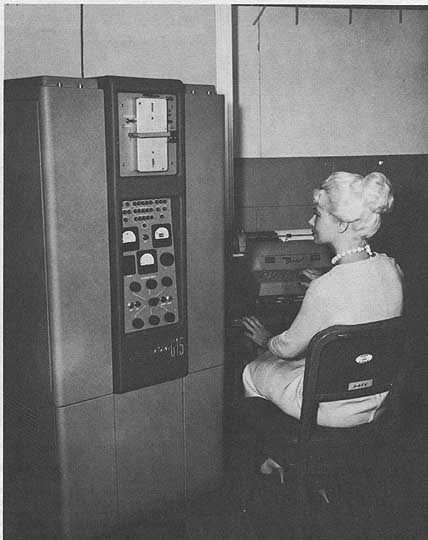
fool joke, what is the value of a G-15? How would a person know?
Billy
At 12:42 PM 4/4/2005, vrs wrote:
>> I have been seeing the same thing with my C= GPIB cables (as well as
>> certain tool handles from the same era). AFAIK, it's inevitable with
>> that sort of plastic.
>
>My RK05F has a white powdery junk all over the inside, and all the plastic
>bits have hardened (some have shattered). Is this the same problem? I
>figured something had caused all the plasticizer to boil out or something.
Could be. I thought it was either a mold from old finger-residue
or the plastic decaying. Any experts on plastic decay out there?
Is it an out-gassing of plasticizer or infiltration of ozone, or both?
- John
Can anyone point me to info on the MicroVax 3800? I may be able to
aquire one, but would like to know a little about it first. Also, I am
really looking for the dimensions/weight of the unit also?
Thank you
David Whittaker
musicman(at)sitcom.whit.org
--
No virus found in this outgoing message.
Checked by AVG Anti-Virus.
Version: 7.0.308 / Virus Database: 266.9.1 - Release Date: 4/1/2005
I have a 9133H connected to my IPC. I have the 9133H manual and the
only reason that I have not bothered to scan it is because it contains
no useful info AT ALL! It was written by brain dead people (whenever a
manual starts with "Don't let the terminology scare you", you know that
the manual is not worth the paper its printed on). Anyway it says zip
about the configuration switch other than "it changes disc formatting".
Thanks!
There are many different models in the 9133 family and they are VERY
different between each other. Early ones are amigo, while later ones
are CS-80.
Anyway the setting that works for me is Configuration switch in
position 1, address in position 0.
With these settings, I get:
/dev/A built-in floppy
/dev/D000 9133H hard drive
/dev/D001 9133H floppy
Connect the external HP-IB hard drive and look in /dev to see the
name(s) assigned to the hard drive. Then use the format_disc utility
(int he Utilities diskette) to format it.
A lot of software for the IPC is available at:
http://www.coho.org/~pete/IPC/integral.html
There is also an ongoing discussion at
http://www.hpmuseum.org/cgi-sys/cgiwrap/hpmuseum/forum.cgi?read=70969
Best Regards
**vp
If I was going to keep anything in an outside building I would first seal
it in a plastic trash bag to keep the varmits and bugs out of it. I would
probably help if you could put some kind of dissicant pack in the bag as
well. Then box it in a sturdy box to protect it and the bag and it should
keep fine. I have a friend that has books this way and stored them in an
outside shed and they've kept fine for over ten years. Considering the
heat, bugs and humidity here in Florida that's little short of a miracle!
Joe
At 11:57 AM 4/4/05 +0930, you wrote:
>
>Appreciate a little bit of advice from the list please.
>
>I started getting my shed full of gear in order on the weekend.
>Following a renno of the kitchen the plan is to rebuild the kitchen
>cupboards in the shed to provide additional storage.
>
>I noted when moving stuff around on the weekend that some corrosion has
>set into DB plugs and PS2 connectors etc. Fortunately its on a couple of
>AT machines of which I have about a zillion so its not a big drama but
>I'm more concerned about the longer term effects on my more precious
>assets.
>
>Storing stuff in the house would be great but that also equates to
>divorce :-)
>
>How do people store their computer stuff medium to long term.
>
>++++++++++
>Kevin Parker
>Web Services Consultant
>WorkCover Corporation
>
>p: 08 8233 2548
>m: 0418 806 166
>e: kparker at workcover.com
>w: www.workcover.com
>
>++++++++++
>
>************************************************************************
>This e-mail is intended for the use of the addressee only. It may
>contain information that is protected by legislated confidentiality
>and/or is legally privileged. If you are not the intended recipient you
>are prohibited from disseminating, distributing or copying this e-mail.
>
>Any opinion expressed in this e-mail may not necessarily be that of the
>WorkCover Corporation of South Australia. Although precautions have
>been taken, the sender cannot warrant that this e-mail or any files
>transmitted with it are free of viruses or any other defect.
>
>If you have received this e-mail in error, please notify the sender
>immediately by return e-mail and destroy the original e-mail and any
>copies.
>************************************************************************
>
>
>
> I was hunting for odd bits in my piles the other night and
> was shocked at the decay of several plastic parts. The ends
> of a set of GPIB cables for an old CBM disk drive were
> covered in a white powder coating - not mold, but slow decay
> of the plastic.
This might still be mold. There are thousands of types of mold, and they
all need to "eat" what they grow on. I'm battling mold now that I'm
sorting/cleaning my basement. Lots of surprises, as there seems to be a
mold type for just about any material.
Quick one:
Anybody has softcopy manual of BDV11? Or at least notes on jumper configs...
Looked at all the usual places, but didn't come up with anything...
/wai-sun
Right. It's *not* the 8530 SCC chip that's faulty, but it's *not* the
data bus either - there's plenty of bus activity so bit 6 isn't
permanently jammed high.
After checking the bus, I replaced the SCC chip with a socket and tried
my spare SCC chip from home (remarkably easy job as it turned out) -
gave exactly the same results on the console.
So, it looks like bit 6 of the bus is fine *except* when a serial port
access is in progress (i.e. other things sharing that bus are being
accessed fine)
Three possibilities at the moment:
1) The big LSI Logic L1A3626 IC which appears to control the serial port
bus is broken internally.
2) Something upstream of the LSI Logic chip is faulty.
3) Something else on the board is responsible for driving the bus during
SCC ops, and there's a break in the bit 6 track to it somewhere,
resulting in it always floating high during serial access.
I can't do much about 1 and 2 without knowing the pinouts of the LSI
chip or having full schematics of the board :-(
Point 3 I can test by tracing one of the other data bus lines and seeing
if it goes anywhere that line #6 doesn't.
I had a look at our Sparc 1 and 2 machines, but they don't use the same
chipset. They do however have a similar IC to the LSI chip in the 4/330
marked as "buffer" which of course increases suspicion that the LSI chip
in the 4/330 - or something upstream of it - has broken.
Chances are I'll be looking for a new board (yeah, right!) given the
lack of schematics. Other alternative would be to find a framebuffer
board for the machine and then use a graphical console - it might be
easier to find a compatible framebuffer versus a whole new 4/330
board...
Grumble!
cheers
Jules
Hi folks,
I've just stumbled on this - looks like someone's built a full CPU board
out of TTL. Wire-wrapped it too (I'm surprised it works - I never had much
luck with wire-wrap). I haven't had chance to take a good look at it, but
what I've seen is pretty interesting.
Link:
<http://www.homebuiltcpu.com/>
Later,
--
Phil. | Acorn Risc PC600 Mk3, SA202, 64MB, 6GB,
philpem at philpem.me.uk | ViewFinder, 10BaseT Ethernet, 2-slice,
http://www.philpem.me.uk/ | 48xCD, ARCINv6c IDE, SCSI
... All you folks do not exist. My sysop types all this stuff in.
Last week, in the middle of debugging Kermit (and making headway)
the 6070 disk dropped dead (I think the technical word for it is
'sh*t the bed').
I was operating it remotely (ssh to host machine w/minicom) so I
couldn't see that the power-OK led went out. Unloaded the heads,
powered off, checked for massive damage, etc, powered on, no POWER
OK or LOAD. Off for the night.
Next day, powered on OK, (power OK led on), LOAD, READY (headload
OK) but can't boot; the bootstrap always seems to get wiped out
whne the machine shutsdown badly. Can't write bootstrap (from
tape).
Diags failed; long story short, all of the disk logic seems good,
media is fine (whew!), seek and format, but no read-data at all --
can't read sector address headers post-format.
All four surfaces the same, so it's not heads or stuff up to the
input mux, diags seem to think it's likely in the disk drive.
I hope to put the 'scope on it tomorrow and begind debug. The
power-OK failure bugs me, though if some driver was able to drag a
power supply out of spec for many minutes you'd think there would
be evidence of, let's say, excessive power consumption (aka
smoke'n'flames). This ain't CMOS.
We'll see. Lost a bit of work, but everything was backup onto
tapes (multiple tape files each tape, plus multiple tapes).
Can't wait til Kermit is running!
Michael Sokolov wrote:
> I have previously heard of people connecting TK50 drives to TK70
> controllers. Supposedly it results in better performance. I don't know
> if you lose the ability to write TK50 tapes this way or not.
>
> This is the first time I hear about the opposite combination, but I have
> to assume it works - whoever put it together obviously had it working,
> otherwise the combo you have in your hands would not exist. MS
Er - couldn't it? It was junked, and nobody had bothered to make the cover
fit again. So it might just have been a try (say the original TK50 was dead)
to install a TK70, which didn't work and was subsequently abandoned. On the
other hand,
Fred N. van Kempen wrote:
> The TZK50 controller (which converts TKbus to SCSI) works with
> both units. The TK70 is smart enough to "fall back" to the
> slower TK50 data mode, so it'll just act like a faster (and
> somewhat more reliable) TK50 drive.
So it should work (and opinions differ whether the TK50 or the TK70 is more
reliable); the case front is the only issue. I see three possibilities:
-Running the thing without case (possibly bad idea, the resistor board in
the upper left seems to need constant directed air flow) or just without
front panel (ugly, things can get in)
-Widening the front panel cutout enough to accomodate the TK70 panel, or
trimming the transport's front bezel enough to fit in the hole (requires
irreversible modifications on original parts, so perhaps bad idea; however,
it looks doable without major damage)
-producing a new case front with a bigger opening (time for some
wood-carving?)
But, as I don't need it now, there is still the alternative of waiting for a
TK50 transport to fall from heaven. The TK70 could be removed from the
enclosure and used to (at least temporarily) substitute the TK50 which is
missing in our MicroVAX II (BA123 housing) in the university museum. Its
frontpanel has an opening which is big enough, curiously. (I had it home
over the weekend to repair the door hinge, st*p*d plastic pin had broken
off, hole was drilled in and a metal bolt inserted instead).
--
Arno Kletzander
Stud. Hilfskraft Informatik Sammlung Erlangen
www.iser.uni-erlangen.de
Handyrechnung zu hoch? Tipp: SMS und MMS mit GMX
Seien Sie so frei: Alle Infos unter http://www.gmx.net/de/go/freesms
I recently saw a poster for http://www.freecycle.org/ .
"It's a grassroots movement of people who are giving (& getting)
stuff for free in their own towns. Each local group is run by
a local volunteer moderator. Membership is free."
I signed up a few weeks ago. Today I got a carload of old Commodore,
Atari, Tandy and Mac IIci-era junk, free for the hauling ten minutes
away, but I had to "take it all".
It made me think there might be a business opportunity in a
"freeBay.com" style site - like eBay but without the cost.
And indeed, a little googling revealed other sites with the
same aim.
If anything, I think Freecycle suffers from a lack of centralized
interface. Not everyone is smart enough to sign up for a mailing list,
and a web interface would be easier to search. (Oops, didn't mean to
start that "list vs. web" thread again. I give up. You're right,
yes, absolutely, eBay should be a mailing list and not a web site.)
I might want to subscribe to my county's list, but I'd also drive three
hours for the right giveaway. It also made me think there could be
opportunity in aggregating and searching these giveaway mailing lists.
It would be great to filter the messages that contain the word "computer"
or "fish tank" or whatever you're hunting for. At a simple level,
you could do it with your mail-reader's filters.
"freeBay.com" is in some sort of registrar-lock. Like the "hot deal"
sites, an operator could make money on keywords and affiliate ads.
- John
While looking for something else in old magazines I ran across a
series of articles by Edmund C. Berkeley and Robert A. Jensen on the design
and construction of the Simon relay computer. (Oct 1950 to Sept 1951 Radio
Electronics) I can't find number 13 in Oct 1951, which is apparently a
description
of a different computer.
Would it be worthwhile trying to scan these and try to get someone
to post them?
Regards
Charlie Fox
Charles E. Fox Video Production
793 Argyle Rd.
Windsor Ontario Canada N8Y 3J8
519-254-4991 cfox1 at cogeco.ca
Check out The Camcorder Kindergarten
at www.chasfoxvideo.com
Dan wrote:
> Note that the name of the picture file is foo.jpeg
> but who knows.
Sure -- I realize that.
What I was referring to though was that:
http://www.geocities.com/heftyharry/foo.jpg
looks as if it is a photoshopped version of the 'real' picture at:
http://ed-thelen.org/comp-hist/BRL61-bendix-g15d.jpg.
Besides, heftyharry's G-15 doesn't look quite deep enough to actually hold
all the guts of the computer. Cropping it off towards the back end, and
placing some debris in back of it, is what gave it away.
I think I'll just take my medicine here, and admit to the fact that I've
been duped by an April 1st shenanigan. :-P
--- Heinz Wolter <h.wolter at sympatico.ca> wrote:
> that's a pdp1 front panel and tty, no? ;) april
> fools?
> h
Yes it is a PDP-1. But it is well-documented that
the major customer for the PDP-1 was ITT, who used it
for a teleprinter switching application. This
does look like an April Fool's joke, however.
That console typewriter looks too clean. Even
more suspicious is that the console typewriter is
sitting next to what appears to be the graphics
scope. There are several pictures on the net of
PDP-1s in museum exhibits that look like this, but
in all the old photos, it looks like the typewriter
was likely to be on a table attached to the CPU
cabinet. It is also dubious that the teletype
switch application would use a graphics scope at all.
Also, the picture of the internals shows a machine
in a non-standard white cabinet that strongly
resembles
the prototype PDP-1 at the CHM. The whole thing
smells fake, but I sent the guy a serious response
anyway indicating the value of the find.
--Bill
>From: "Marvin Johnston" <marvin at rain.org>
>
>
>In searching for radio gear, I ran across this URL and thought it might
>of some interest here. I don't recognize it, but it looks like it might
>be some older computer stuff.
>
>http://www.geocities.com/heftyharry/OLD_COMPUTER_SALE.html
>
Hi
It might be an analog computer but it looks more
like a power monitor for a large computer.
He didn't have an address?
Dwight
I have described my replacement of a burst TU56 motor-run capacitor at
http://so-much-stuff.com/pdp8/tu56repair.html
I am particularly interested in feedback about the mounting solution -- is
it ingeniously simple, or a horrible kludge :-)?
There is a new version of my web-site there for the browsing, too (though
most of the log entries are still stubbed out).
Vince
Arno Kletzander <Arno_1983 at gmx.de> wrote:
> and the board installed bears the number "5017683-01-B1-P2" on the solder
> side and the designation "TZK-50" on the component side. I suppose this has
> to match the transport in order to have a functional unit (unless the TK70
> is smart enough to say: "You think I'm a TK50, so I'm gonna act as if I was
> one!").
I have previously heard of people connecting TK50 drives to TK70 controllers.
Supposedly it results in better performance. I don't know if you lose the
ability to write TK50 tapes this way or not.
This is the first time I hear about the opposite combination, but I have
to assume it works - whoever put it together obviously had it working,
otherwise the combo you have in your hands would not exist. But I won't
venture a guess as to whether that combo can read/write TK70 tapes or just
read TK50s.
MS
Here are two articles from eWeek (formerly PC Week) today. No, they're not
April Fools jokes.
http://www.eweek.com/article2/0,1759,1780863,00.asp
Top Five Vintage Computers Turn Dust into Dollars
http://www.eweek.com/article2/0,1759,1780855,00.asp
Old Computers Find New Homes as Vintage Artifacts
Disclaimer: I used to work for eWeek and still have some biases...
-----------------------------------------
Evan Koblentz's personal homepage: www.snarc.net
*** Tell your friends about the (free!) Computer Collector Newsletter
- 700 readers and no spam / Publishes every Monday / Write for us!
- Mainframes to videogames, hardware and software, we cover it all
- W: http://news.computercollector.com E: news at computercollector.com
Hello everybody;
some time ago I found a strange construction in a bin at the campus, which
I'd like to put back together in a way that makes it usable, nice-looking,
and doesn't conflict with collector ethics.
What I'm talking about is a DEC TK50Z-G3 external enclosure from which the
original TK50 (CompacTape I) transport was removed and replaced with a TK70
(CompacTape II) - which made it impossible to re-fit the cover, because the
TK70's bezel is about 3 mm (2/16") wider than the cutout in the housing
front panel. The access door in the panel's cutout is also in the way but
could be removed rather easily.
What was obviously not replaced however is the interface board which resides
above the transport. The device, when connected to my SPARCclassic and
interrogated by "probe-scsi" from the OBP "ok" prompt, reports as follows:
Target 5
Unit 0 Removable Tape Qualifier 50.
and the board installed bears the number "5017683-01-B1-P2" on the solder
side and the designation "TZK-50" on the component side. I suppose this has
to match the transport in order to have a functional unit (unless the TK70
is smart enough to say: "You think I'm a TK50, so I'm gonna act as if I was
one!").
I'm not in a hurry to get this working (I got some distribution CompacTapes
some time ago, but no leads on a matching DEC computer yet), but I'd like to
get an idea of what to do with it - which largely depends on whether this is
a sensible combination at all.
Yours sincerely
--
Arno Kletzander
Stud. Hilfskraft Informatik Sammlung Erlangen
www.iser.uni-erlangen.de
Sparen beginnt mit GMX DSL: http://www.gmx.net/de/go/dsl
I don't have the Simon computer but I do have the a Samsonite card table
that look just like the one in this cover photo.
http://www.widomaker.com/~cswiger/simon/cover1.jpg
I got it from an elderly neighbor 30 years ago. If anyone builds the
electronic brain I will provide the table.
Michael Holley
www.swtpc.com/mholley
There are at least two types of Simon documents available. I *think* the
first articles were the Radio Electronics Magazine series, and that was
followed by the reprint. The primary difference that I could see was the
color diagrams in the Radio Electronics Magazine series as opposed to
B&W on the reprints. When the discussion took place the last time on
this listserver, ISTR that Doug Salot had the reprints but they were
slightly different from what I have.
While I have the scans of the reprint (and they are still around here
... someplace), it would be nice to have the color wiring diagrams (they
are MUCH easier to see the specific wiring being described in the
figure.)
Also, ISTR that someone else on the list got a copy of the articles from
the Charles Babbage Institute and there were still some copyright
restrictions.
> From: "Charles E. Fox" <cfox1 at cogeco.ca>
> While looking for something else in old magazines I ran across a
> series of articles by Edmund C. Berkeley and Robert A. Jensen on the design
> and construction of the Simon relay computer. (Oct 1950 to Sept 1951 Radio
> Electronics) I can't find number 13 in Oct 1951, which is apparently a
> description
> of a different computer.
> Would it be worthwhile trying to scan these and try to get someone
> to post them?
I know this could be the start of YET ANOTHER thread "Oh I think
it's older than that..." but to avoid that, let's raise the
standard from opinion/hearsay to printed word.
Man I wish I had a collection of pre-1980 DATAMATIONs!
From _ENCYCLOPEDIA OF COMPUTER SCIENCE_(Van Nostrand), 1976:
KLUDGE
The word "kludge" is a term coined by Jackson Granholm in an
article "How to design a kludge" in _DATAMATION_ (February 1962).
The definition is given as "an ill-sorted collection of poorly
matched parts, forming a distressing whole". The design of every
computer contains some anomalies that prove to be annoying to the
users and wghich the designer wishes he had done differently. If
there are enough of these, the machine is called a "kludge".
By extention, the term has come to be applied to programs,
documentation, and even computer centers, so that the definition
is not "an ill-conceiverd and hence unreliable system that has
accumulated through patchwork, expediancy, and poor planning".
The first kludge article triggered five others ("How to maintain a
kludge", etc) in subsequent issues of _DATAMATION_. Four of the
articles may be found in the book _FAITH, HOPE AND PARITY_ edited
by Josh Moshman, Thompson Book Company, 1966.
-- F. Gruenberger
[Said book found at abebooks...]
All:
I've been corresponding for months with this guy who is disposing of
his various systems as a result of moving to a smaller place. This weekend,
I finally started to see the fruits of my labor.
Today I received four copy boxes with the following: 300 (plus or
minus) 8" disks with tons of programs (uncataloged at this point) and 25 or
so "spare" S100 boards including (more than one of some) the Cromemco
Dazzler, SSM video, Matrox video, SIO and PIO cards, A/D and X10 cards, a
6800-based SBC, a 300-baud modem and some memory boards (small sizes).
Additionally, I have about 20 spare copies of various BYTE magazines (list
to follow).
This week I expect several more boxes consisting of the dual 8" disk
drives (plus spares), the drive enclosure (Synergistics), the IMSAI itself
(TDL Z80 I believe), scads of original documentation, the entire run of
Micro Cornucopia, some Interface Age and Kilobaud mags, and to top it off, a
Poly 88 system. There's also a *slim* chance that he's going to throw in a
Mark-8 system.
And the best part...all for the cost of shipping. Yeah! It's
Christmas in April!
Rich
Rich Cini
Collector of classic computers
Build Master for the Altair32 Emulation Project
Web site: http://highgate.comm.sfu.ca/~rcini/classiccmp/
/************************************************************/