Hi all,
I?m working on an RK11-C, and need to repair a couple of components that are flown between backplane pins via crimp terminals that slip directly onto the wire wrap pins. I?m having trouble sourcing these connectors, probably because I don?t know the correct terms to search under. Anybody have a suggest?
cheers,
?FritzM.
I have a carton of old 1S/2D floppy diskettes here. I used them 28 years ago
to make backups.
I have no use for them, and I have no idea if they still work.
They will need to be formatted. There are in boxes of 10. A few might be
2S/2D.
FFS to a good home.
Cindy Croxton
Electronics Plus
1613 Water Street
Kerrville, TX 78028
Thanks all for getting me going.
I cheated at first with a real Maxtor 20 GB hard drive, and Alexadre's suggestion to FDISK with just a few cylinders, and that worked.
Now, going to a CF card, same plan, no errors with FDISK, FORMAT C:/s, and I can see command.com is there if I boot from a floppy.
I am able to read/write to the CF just fine, copy to it with /V and all OK.
It will not boot from XTIDE, and I get this error.
I read that some CF will not work.
Can you recommend ones that do, and I will go get one.
They one giving me trouble is:
Sandisk Ultra II, I have had it for years in the junkbox.
SDCFH-2048 is what XTIDE reports.
Will a new, current CF fix the problem?
Enlighten me on what boot menu callback means.
Thanks,
Randy
Yippie!
But what a long haul it was.
Just getting the data on a disk that I could read was a nightmare. I bought a USB 3.5 floppy drive (Sabrent SBT-UFDB, $19 at Frys), and it does not write 720K reliably. Comments on the net say it does not work, under windows 7 lots of errors, but bringing up in Linux (Fedora) it sort of does work. Remember to unmount so that it flushes the data out to the floppy!
After several back and forth tries with abort, retry, fail errors, I finally got xtidecfg to run on the target (Compaq model 1, the luggable XT).
Next, I could not flash the EEPROM. Turns out I had one 74F573 in upside down. $100 Digikey overnight later, I got one (several, I spared all the parts and the EEPROM just in case).
OK now XTIDE comes up on boot, and responds with the timeout screen and lets me select the floppy for the boot.
I have a Compact Flash adapter and card, while I wait for the soldering iron to heat up and make the power cable for it, I wanted to ask, what are the next steps?
FORMAT, or FDISK /MBR?
What is the recommended way to initialize the CF flash and put a system on it?
Anything special to do, so that I can use the whole 2GB of the flash?
Thanks to anyone who has been there and done this...
Randy
Hi,
Maciej mentioned "winding a tape past a medium error and read...".
I have several times successfully skipped past media errors on DDS-1
drives by doing a FSF (Forward Skip File ... tells drive to skip to the
next EOF). (Although, IIRC, once I encountered a read error, I couldn't
do that ... I recall having to 'sneak up' on the error by positioning
the drive to the prior EOF and then skipping forward. But since I haven't
done it for more than 10 year, maybe my memories are classic, er, rusty.)
My recollection is that DDS-1 (and perhaps -2?) had 'set marks' that
few people knew about, and even fewer ever used. The explanation
I recall is that the drive could do a "forward to next setmark" *much*
faster than "forward to next EOF". (BTW, when reading, a setmark
was reported like an EOF (although if you requested extra status you
could tell them apart).)
I never tried using the skip-to-next-setmark to get past errors,
partially because the tapes I was recovering years ago didn't have setmarks.
(Set marks are one reason I prefer my tape archiving format, since I record
them,
as well as retry information :)
Al: thanks for expanding my answer about cutting out a portion of the tape
... I'd forgotten about helical recording.
(Note that on ordinary multi-track tapes, cutting a section
does indeed lose data from n different places on the tape ...
any tape that requires multiple passes over the tape to get from BOT to
the full capacity of the tape.)
Stan
finally got one of the Basic Four S10. Does someone have a service
manual for these or the Direct Inc. models ? The one i got was a little
bit damaged due to shipping within Europe. Found at least one transistor
and one cap that broke off the video monitor board. Will try to fix that
next week.
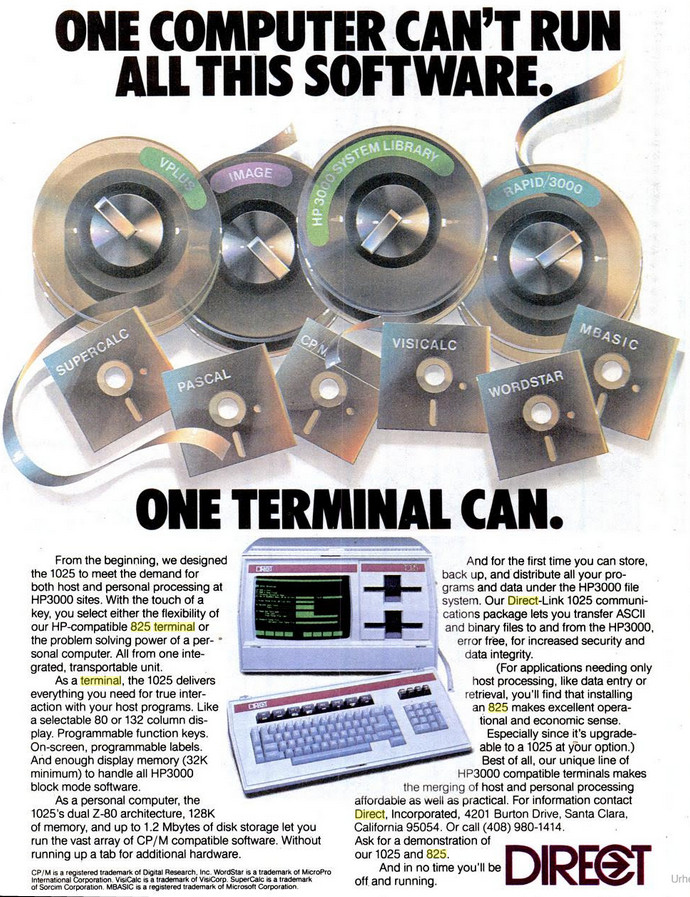
The Basic Four S/10 was developed and build by Direct Inc, Santa Clara,
California. They sold the machine as a serial terminal (Dec/HP) as well
as a terminal in combination with a CP/M 2 board.
Direct 825 with CP/M: http://basicfour.de/pics/s10/Direct_825.jpg
Direct 831 as a terminal without the second cpu/floppy controller board:
http://basicfour.de/pics/s10/s-l500.jpg
and the basic four s/10: http://www.obsoletecomputermuseum.org/mai/
Btw, I'm also looking for MAI Basic Four Software for the Models 2000,
210/510/730
Thx
machine with floppy and terminal boards: http://basicfour.de/pics/s10/3.jpg
---------------------
Armin Diehl
ad at ardiehl.de
I hope this is considered apporopriate for this list, if not, I am sure y'all will
let me know. :-)
And, yes, it is about a truly classic computer.
I am trying to restore my 1961 General Electric EF-140 Analog Computer. The
insulation on all of the wires has basicly turned to stick goo. I would really like
to rebuild it. Does anyone have or know where I might find a wiring diagram
for this box? I got it thru National Technical Schools when I was about 11 years
old and sadly, while it survived, my mother threw out all of the courses and
manuals that came with the correspondence course I took back then.
If someone has it but it's buried away, no problem. I just loaned it for a
static display at the University where I used to work in the CS Department.
I expect they will want to keep it for at least the Semester.
On another note, it's good to be back on the list after many years away.
I still have and use a number of systems that people here would consider
more in line with their notions of Classic Computers. Some of you may
even remember me. I was and still am big on PDP-11's and VAX. But I
also have a number of old Micros as well (and some of the newer ones that
try to bring the old flavor back like the Maximite and The P112.)
bill
Hi all --
Went spelunking in a hoarder's basement this morning (long story) and came
out with a few interesting items, including a Northern Scientific NS-600.
>From what I can tell it's from the late 60s and is capable of storing and
analyzing digital data (and can display it on a tiny scope display).
There isn't any real documentation out there, just a few research papers
here and there noting its use in various experiments. Anyone have anything
on this?
Thanks,
Josh
I need the schematics. I'm not sure I trust all those "manual" sites on the web that want to sell you a PDF for $15.
My monitor seems to be acting up.
Thanks in advance,
Cheers,
Corey
corey cohen
u??o? ???o?
Hi,
We have a friend with a "tape" (DDS, DLT, or LTO ... don't know which yet)
to which was written a system backup. Thousands of files, with an EOF
between each file, and a double EOF + EOT at the end.
The problem:
They then accidentally overwrote the start of the tape yesterday
with about 1 KB of data, plus EOT.
(By EOT I mean the "logical end-of-tape" indicator placed there
by the drive firmware when a tape is rewound / unloaded after
it's been written to.)
So, we want to try to recover the files after that 1 KB + EOT.
On reel tape, no problem. I'd read until I hit the double EOF, and then
skip the partial file (by looking for the next EOF), and then...gravy.
But, DDS/DLT/LTO drives won't let me get past that darn logical end-of-tape.
Are there solutions anyone can suggest?
I've only heard of two approaches:
1. find a drive with modified firmware, one that treats an EOT like an EOF
While I heard some existed for DDS-1 drives, that lead was 20 years old :)
2. insert tape, start writing (at the start), write until I'm sure I've
written over the area where the EOT was,
power cycle the drive
read from the start, skipping over the data I just wrote, handle the
possible corrupted record, and the I've got good data from past the EOT
(note that this method loses a small amount of old data past the EOT
that we overwrote).
On DDS drives, I used this technique once or twice successfully,
although I seem to recall I couldn't do the "read until I get to
the good stuff" because of the probability of a bad record on the
tape (where the power fail was) ... but the solution was to load the tape
and then say "skip forward 3 EOFs", and the skip-to-EOF would
quietly ignore (usually) any bad record before the EOF.
BTW, if this is DDS, it's unlikely to be newer than DDS-4 (but possible),
if it's DLT, it's likely one of the first two or three generations,
and if it's LTO, it's extremely unlikely to be anything other than LTO-1.
thanks,
Stan